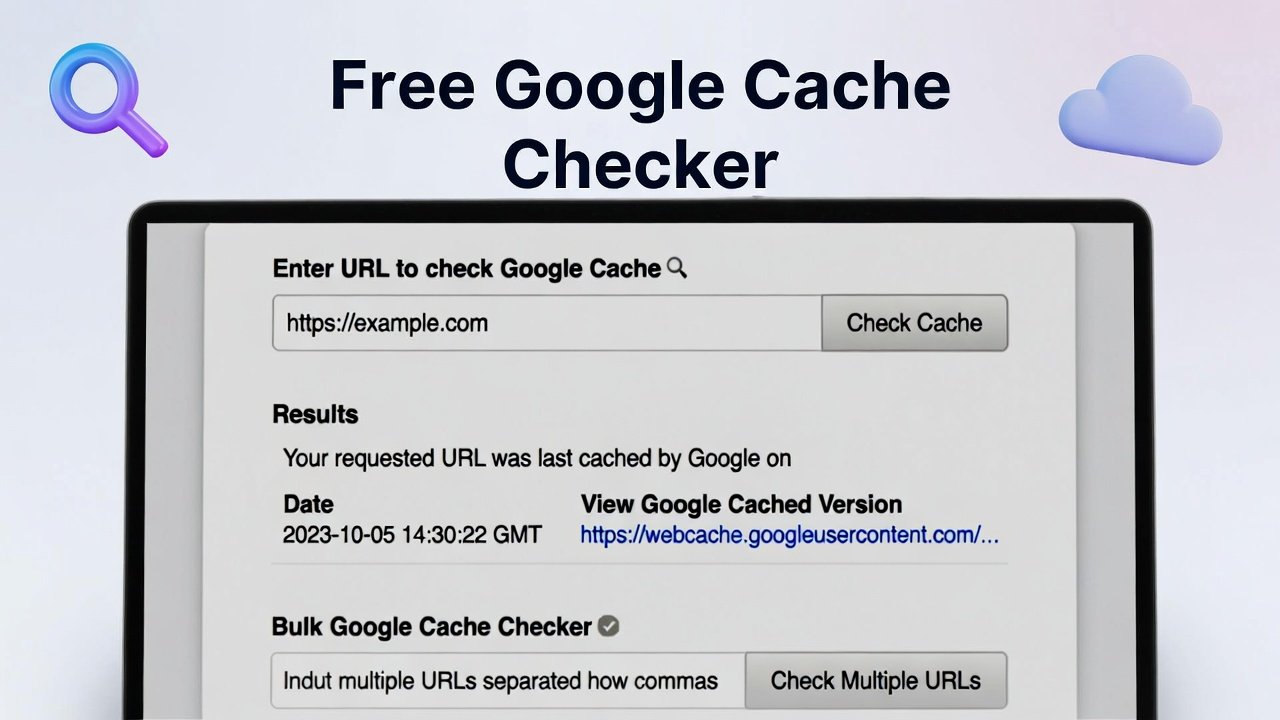
Use our free Google cache checker tool to check Google cache for URL, view cached pages, run bulk Google cache checker, and verify index status fast.
Free Google Cache Checker Tool Online
Have you ever visited a website only to find it's temporarily down, loading slowly, or completely gone? Frustrating, right? But what if there was a way to see that website anyway—a snapshot stored by Google just waiting to be viewed? That's exactly what Google Cache does, and it's one of the most underutilized tools in your digital toolkit.
A Google cache checker helps you access these saved versions of webpages. Think of it as a time machine for the internet. Google constantly crawls and stores copies of billions of pages. When the live version isn't available or you want to see how a page looked at a specific point in time, those cached copies become invaluable.
Whether you're a website owner monitoring your own content, a researcher investigating changes, or just someone trying to access a page that won't load, understanding how to use a Google cache checker tool gives you superpowers online. Let's explore everything you need to know about Google Cache and why having a reliable way to check it matters.
What Exactly Is Google Cache?
Let's start with the basics. When Google's crawlers (often called Googlebot) visit websites, they don't just index the content and move on. They also take a snapshot—a complete copy of the page as it existed at that moment. This snapshot is stored on Google's servers and becomes part of their cache.
Think of it like taking a photograph. The live website is like a person moving around, changing clothes, aging over time. The cached version is a photograph frozen at a specific moment. You can look at that photo anytime, even if the person has changed dramatically since.
Google maintains these cached versions for several reasons:
- To have a backup in case the live site goes down
- To verify content matches what was indexed
- To show searchers what they'll find when they click
- To provide access when the live site is slow or unreachable
A how to check google cache search reveals that many people don't even know this feature exists, let alone how to use it effectively.
How Google Creates and Updates Cache
Google doesn't cache every page every day. The frequency depends on:
- Page importance: Popular, high-authority pages get crawled more often
- Update frequency: Sites that change frequently get revisited more often
- Crawl budget: Google allocates limited crawl time per site
- Page rank: Higher-ranked pages generally get more attention
When you use a google cache checker online, you're essentially asking Google, "What's the most recent snapshot you have of this URL?" The answer tells you when Google last visited and what they saw.
Why You Need a Google Cache Checker Tool
You might wonder, "When would I actually use this?" The applications are more practical than you'd expect.
Accessing Down or Slow Websites
This is the most common use case. You click a link, and the page won't load. Maybe the server is overloaded, the site is temporarily down, or you're having connection issues. Instead of giving up, you can check the cached version.
A quick google cache checker tells you if a cached copy exists and lets you view it immediately. You get the content you wanted without waiting for the live site to recover.
Seeing What Google Sees
Search engine optimization isn't about guessing what Google thinks of your site. It's about knowing. When you check google cached pages, you see exactly what Googlebot saw during its last visit.
This reveals:
- Whether Google can access your content properly
- If important elements are being indexed
- Whether your meta descriptions appear as expected
- If JavaScript content is rendering correctly
- When Google last crawled your page
If your cached version looks broken or outdated, that's a problem you need to fix.
Investigating Content Theft
Discovering someone copied your content? A cached version proves when your content first appeared. Since cache dates show when Google indexed the page, you can establish a timeline that proves you published first.
A bulk google cache checker lets you check multiple URLs at once, helping you monitor for stolen content across your entire site.
Researching Competitor Changes
Curious when your competitor last updated their pricing page? Want to see how their homepage looked before a major redesign? Cached versions provide this historical insight.
You can track changes over time, see what strategies they've abandoned, and understand their content evolution.
Recovering Lost Content
Did you accidentally delete something important? Did your website crash and lose recent changes? Sometimes the cached version is the only backup available. While not perfect, it can save you when nothing else exists.
How Google Cache Differs from Index Status
Many people confuse these two concepts. Understanding the difference is crucial.
Google Index Status
Index status tells you whether a page is in Google's database at all. If a page is indexed, it can appear in search results. Index status is binary—either Google knows about your page or they don't.
Google Cache
Cache is the actual stored copy of the page. A page can be indexed (Google knows it exists) without having a recent cache (maybe Google hasn't crawled it lately). When you compare google cache checker vs index status difference, you're looking at two related but distinct metrics.
A quality tool shows you both:
- Is the page indexed?
- When was it last cached?
- What does the cached version look like?
This complete picture helps you understand your site's relationship with Google much better than either metric alone.
When Google Cache Matters Most
Let's explore specific situations where checking cache becomes essential.
After Website Migrations
Moving to a new domain, changing your site structure, or switching from HTTP to HTTPS? These major changes can confuse Google temporarily. Checking cache during and after migration tells you:
- Is Google still trying to access old URLs?
- Are new pages being cached properly?
- How long is the delay between your changes and Google's updates?
Regular google cache checker use during migrations catches problems early.
After Publishing Important Content
You've just published a critical blog post, a new product page, or an important announcement. You want Google to find and index it quickly. Checking cache tells you when Googlebot visited and what it saw.
If days pass without a cache update, something might be wrong with your site's crawlability.
When Traffic Drops Suddenly
Organic traffic plummeted overnight? Before panicking, check your cached pages. If Google stopped caching your content, that explains the drop. If cache dates look normal, the problem lies elsewhere.
For SEO Audits
Professional SEO audits always include cache analysis. Key questions include:
- Are all important pages being cached?
- How fresh are the caches?
- Do cached versions match live content?
- Are there cache inconsistencies across the site?
A bulk google cache checker makes these audits efficient and thorough.
How to Perform a Google Cache Check
Ready to check your own pages? Here's exactly how to do it.
Method 1: Manual URL Check
The simplest way to check a single URL:
- Go to Google search
- Type "cache:yourdomain.com/page-url"
- Press enter
Google will show you the cached version if it exists. This works but becomes tedious for multiple pages.
Method 2: Browser Extensions
Various browser extensions add cache checking buttons to your toolbar. Click while on any page to instantly see its cached version. Convenient for occasional checks but limited for bulk analysis.
Method 3: Online Cache Checker Tools
For serious work, dedicated google cache checker online tools are essential. They offer:
- One-click checks for any URL
- Bulk checking for multiple pages
- Historical cache data
- Comparison features
- Export capabilities
Method 4: Bulk Cache Checking
When you need to check your entire site, a bulk google cache checker saves enormous time. Upload a list of URLs or your sitemap, and the tool returns cache dates and status for every page.
This reveals patterns:
- Are certain sections crawled more often?
- Are there pages never getting cached?
- Is your crawl budget being wasted on low-value pages?
Understanding Google Cache Checker Results
When you use a now google cache checker tool, here's what the results tell you.
Cache Date and Time
The most important piece of information. Shows when Google last crawled and stored this page. Compare across pages to understand crawl frequency.
Cache Status
Indicates whether a cached version exists at all. "Not cached" means Google either hasn't crawled the page or chose not to store it.
Page Title and Meta Description
Shows what Google saw as your title and description. If these don't match your live site, Google may be using different information than you intended.
Content Preview
Many tools show a snippet of the cached content. Quickly verify that important text appears and that Google isn't missing key information.
Index Status
Tells you whether the page is in Google's index. A page can be indexed without a recent cache, but if it's not indexed at all, cache doesn't matter.
Response Code
When Google last crawled, what response did they get? 200 means success. 301/302 means redirects. 404 means the page was missing. This reveals crawl errors you need to fix.
Common Google Cache Issues
Even when you know how to check google cached pages, you might encounter problems. Here's what they mean.
No Cached Version Found
This could indicate:
- Page is too new and hasn't been crawled yet
- Page is blocked by robots.txt
- Page has a noarchive meta tag
- Page returns a non-200 status code
- Google chose not to cache for quality reasons
Old Cache Date
If your cache is weeks or months old:
- Your site may have low crawl priority
- You might have crawl budget issues
- Google may see your content as low-value
- Technical problems could be blocking crawlers
Cached Version Looks Broken
When the cached page displays incorrectly:
- JavaScript content may not render in cache
- CSS might be missing
- Images may not be stored
- The page might require login or cookies
Cache Shows Different Content
If the cached version differs significantly from your live page:
- Google may have indexed the wrong version
- Your site might serve different content to crawlers (cloaking)
- Recent changes haven't been crawled yet
The Importance of Using Quality Google Cache Checker Tools
Not all cache checkers deliver accurate, useful results. Here's why quality matters.
Accurate Cache Date Information
Some tools pull from outdated APIs or display incorrect timestamps. A quality google cache checker connects directly to Google's data, ensuring you see exactly what Google sees.
Bulk Checking Capabilities
Checking pages one by one wastes hours. Professional tools let you upload entire lists and get comprehensive results in seconds. This turns a tedious task into a quick report.
Historical Data
Knowing today's cache date is useful. Knowing how cache dates have changed over time is powerful. Quality tools store historical data, revealing trends and patterns.
Index Status Integration
Cache without index context tells only half the story. The best tools combine both, showing you the complete picture of each page's relationship with Google.
Export and Reporting
For agencies and in-house SEO teams, exporting data to spreadsheets or creating client reports is essential. Quality tools make this easy.
Real-World Scenarios: Google Cache Checker in Action
Let's walk through practical examples where cache checking solves real problems.
Scenario 1: The E-commerce Site Owner
Maria runs an online store. She noticed traffic dropping and couldn't figure out why. She used a google cache checker tool on her key product pages and discovered:
- Most product pages hadn't been cached in three weeks
- New products weren't cached at all
- The cached versions showed old prices and out-of-stock items
Maria realized her site's slow loading speed was causing Google to crawl less frequently. She fixed performance issues, and within two weeks, cache dates updated and traffic recovered.
Scenario 2: The Content Marketer
David publishes weekly blog posts. He uses a google page cache checker to monitor when Google discovers his new content. He noticed a pattern:
- Posts published on Mondays got cached within 24 hours
- Posts published on Fridays sometimes took 4-5 days
David adjusted his publishing schedule to Monday-Wednesday, ensuring faster indexing and better traffic from new content.
Scenario 3: The SEO Agency
Lei's agency manages 50+ client sites. Monthly, they run a bulk google cache checker across all client URLs. This month's report showed one client had 30% of pages returning 404 errors during Google's last crawl—but the pages were live and working.
Investigation revealed the client's server was intermittently failing, causing Google to see errors. The client fixed server issues, preventing a major ranking drop.
Scenario 4: The Web Developer
Javier launched a new site for a client. Two weeks later, the client asked why they weren't ranking. Javier ran a google cache checker and discovered:
- The homepage was cached (good)
- Interior pages showed "no cache" or very old dates
- The robots.txt file was accidentally blocking crawlers from deeper pages
One quick fix later, Google started crawling and caching properly, and rankings followed.
Google Cache and SEO: The Critical Connection
Your site's cache status directly impacts search performance.
Crawl Budget
Google allocates limited crawl time to each site. If your important pages aren't getting cached, you're wasting crawl budget on low-value pages or encountering technical barriers.
Freshness Signals
Google prefers fresh content. Regular cache updates signal that your site is active and relevant. Stale caches suggest neglect.
Content Verification
Cached versions prove to Google that your content exists and matches what users see. Discrepancies can trigger quality penalties.
Indexation Confirmation
Cache dates confirm that Google can access and process your pages. No cache often means no index, which means no traffic.
How to Improve Your Google Cache Frequency
If your check google cache for url reveals infrequent crawling, here's how to improve it.
Improve Page Speed
Faster sites get crawled more. Googlebot has limited time; faster pages mean more pages crawled per session. Optimize images, leverage caching, and minimize code.
Create Fresh Content
Regular new content attracts crawlers. Google wants to see what's new. A consistent publishing schedule keeps Google coming back.
Build Quality Backlinks
Links from authoritative sites signal importance. Google prioritizes crawling pages that matter.
Fix Technical Issues
Ensure your site:
- Returns 200 status codes correctly
- Doesn't have crawl errors in Google Search Console
- Has a clean, updated sitemap
- Isn't blocked by robots.txt
- Works without JavaScript for basic content
Submit to Google
Use Google Search Console's URL inspection tool to request indexing for important new pages. This manually triggers a crawl.
Google Cache Checker for Different Content Types
Not all content caches the same way.
HTML Pages
Standard webpages cache completely. Text, HTML structure, and basic formatting are preserved.
Images
Google often caches thumbnails or compressed versions, not always full-resolution originals.
PDFs and Documents
Google caches these as HTML conversions, showing text content even if formatting is simplified.
JavaScript-Rendered Content
Single-page apps and JavaScript-heavy sites often cache poorly. Google may see empty containers instead of actual content. Always test cache on these pages.
Redirected URLs
If a page redirects, Google typically caches the final destination, not the redirecting URL.
Advanced Google Cache Checking Techniques
Once you've mastered basics, try these advanced approaches.
Comparing Multiple URLs
Use a bulk google cache checker to compare cache dates across:
- Different site sections
- Mobile vs desktop versions
- HTTP vs HTTPS versions
- WWW vs non-WWW versions
Inconsistencies reveal configuration problems.
Monitoring Cache Over Time
Track cache dates weekly for your most important pages. Create a spreadsheet and watch for patterns. Sudden drops in crawl frequency signal problems.
Analyzing Competitor Cache
Check competitor cache dates. If they're getting crawled daily while you're crawled weekly, they're seen as more important by Google.
Correlating Cache with Rankings
Do pages with fresher caches rank better? Often yes. Use cache data to identify pages needing more attention.
Common Google Cache Checker Mistakes
Even experienced users make errors. Avoid these pitfalls.
Mistake 1: Assuming No Cache Means No Index
A page can be indexed without a recent cache. Check both metrics separately before drawing conclusions.
Mistake 2: Ignoring Mobile Cache
Google primarily uses mobile-first indexing. Always check mobile cache, not just desktop.
Mistake 3: Forgetting About Robots.txt
If your robots.txt blocks crawlers, cache checks will fail. Verify crawl access first.
Mistake 4: Misreading Cache Dates
Cache dates show when Google last crawled, not necessarily when they'll crawl next. Don't assume irregular intervals mean problems.
Mistake 5: Only Checking Homepage
Your homepage gets crawled most often. Interior pages tell the real story. Always check multiple URLs.
Integrating Google Cache Checking Into Your Workflow
Make cache checking a regular habit, not an occasional task.
For Website Owners
Schedule monthly google cache checker scans of your entire site. Watch for:
- Pages with old cache dates
- New pages not yet cached
- Sudden drops in crawl frequency
- Pages returning crawl errors
For SEO Professionals
Include cache analysis in every audit. Track cache metrics in client reports. Use cache data to identify technical issues before they impact rankings.
For Content Teams
Check cache after publishing important content. If new posts aren't cached within a few days, investigate why.
For Developers
Add cache checking to your deployment checklist. After launching changes, verify Google can crawl and cache properly.
Frequently Asked Questions About Google Cache Checker
Let's address common questions.
What is a Google cache checker?
A google cache checker is a tool that shows you when Google last crawled and stored a copy of a webpage. It reveals the cached version and the date it was saved.
How do I check Google cache for a URL?
Use a google cache checker online tool, or manually type "cache:URL" into Google search. Online tools offer more features and bulk checking.
Why is my Google cache so old?
Old cache dates mean Google isn't crawling your site frequently. Possible causes: slow site speed, low authority, technical crawl issues, or infrequent content updates.
What's the difference between cache and index?
Index means Google knows your page exists. Cache is the actual stored copy. A page can be indexed without a recent cache.
Can I check multiple URLs at once?
Yes, use a bulk google cache checker tool. Upload a list of URLs and get cache dates for all at once.
Does Google cache affect rankings?
Indirectly, yes. Frequent caching signals freshness and importance. Cache problems often indicate underlying issues that do affect rankings.
How often does Google update cache?
Frequency varies widely. Popular news sites may be cached hourly. Small blogs might be cached weekly or monthly. There's no universal schedule.
Can I force Google to cache my page?
You can request indexing through Google Search Console, but you can't force cache frequency. Improve your site to attract more frequent crawling.
What does "no cache" mean?
Google either hasn't crawled the page yet, couldn't access it, or chose not to store a copy due to technical reasons.
Is cached content the same as live content?
Not necessarily. The cached version shows what Google saw during its last crawl. If you've updated since then, live and cached versions differ.
The Future of Google Cache
Google's approach to cache continues evolving.
Mobile-First Caching
With mobile-first indexing, Google primarily caches mobile versions of pages. Desktop cache matters less than it used to.
JavaScript and Dynamic Content
As the web becomes more dynamic, Google improves how they cache JavaScript-rendered content. Modern cache checkers need to account for this.
Cache as Debugging Tool
Google increasingly positions cache as a diagnostic tool for site owners rather than a user-facing feature. Understanding cache helps you troubleshoot, even if regular users rarely access it.
Integration with Search Console
Google Search Console now offers more cache-related data, making standalone cache checkers even more powerful when used alongside official tools.
Conclusion: Why Google Cache Checking Belongs in Your Toolkit
Your website's relationship with Google determines your online visibility. Cache dates provide a window into that relationship—showing you when Google visits, what they see, and whether they can access your content properly.
A reliable google cache checker transforms guesswork into certainty. Instead of wondering why pages aren't ranking, you see exactly where the breakdown occurs. Instead of hoping Google finds your new content, you verify they have.
For website owners, marketers, SEO professionals, and developers, cache checking isn't optional—it's essential. The difference between guessing and knowing is the difference between struggling and succeeding online.
[Check Your Site's Cache Status Now]
Don't let another day pass wondering what Google sees when they visit your site. One quick test reveals whether your pages are being crawled properly, when Google last stopped by, and whether any technical issues are hiding your content from search. Visit ultratoolsuite.com now to use our professional Google cache checker tool. See exactly how Google views your site, identify problems before they impact rankings, and take control of your search visibility. Your site's performance depends on what Google finds—make sure they're finding everything they should.