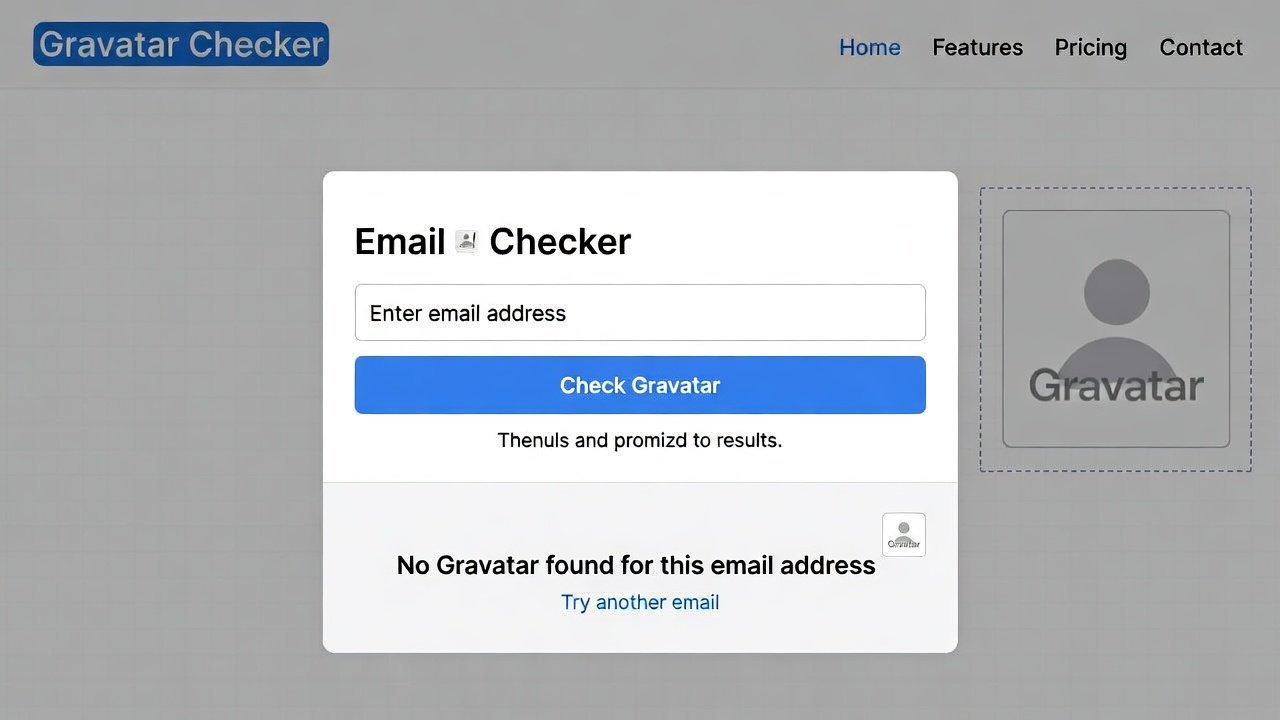
Use our free Gravatar checker to check Gravatar by email instantly. Run a quick Gravatar email checker and see if a profile image exists.
Free Gravatar Checker & Email Lookup Tool
Have you ever noticed how some websites automatically show your profile picture when you leave a comment or post a reply? That little image that follows you around the internet isn't magic—it's Gravatar. And chances are, you have one whether you know it or not.
A Gravatar checker helps you discover what image is associated with your email address across the web. Think of it as a mirror for your digital identity. Every time you use that email to comment on a blog, post in a forum, or interact with thousands of different websites, that same image appears alongside your name.
Whether you're trying to update your online presence, verify someone's identity, or just curious about what image shows up when people search for your email, understanding Gravatar matters more than you might realize. Let's explore everything you need to know about Gravatars and why having a reliable way to check gravatar should be part of your online toolkit.
What Exactly Is Gravatar?
Let's start with the basics. Gravatar stands for "Globally Recognized Avatar." It's a service created by Automattic (the company behind WordPress) that links your email address to a profile image.
Here's how it works: You create a Gravatar account using your email address and upload a photo. From that moment on, any website that supports Gravatar can automatically display that photo whenever you use that email address to comment, post, or interact.
Think of it like a universal profile picture. Instead of uploading a new photo to every single website you join, you upload it once to Gravatar, and thousands of sites can display it automatically. It's efficient, consistent, and surprisingly widespread across the internet.
Where Gravatars Appear
You've probably seen Gravatars without realizing it. They show up on:
- WordPress blogs and comment sections
- Many forum platforms
- Profile pages on various websites
- Email clients that support them
- Project management tools
- Developer platforms like GitHub
When you use a gravatar email checker, you're essentially asking, "What image does the internet associate with this email address?"
Why You Need a Gravatar Checker
You might wonder, "Why should I care about checking Gravatars?" The applications are more practical than you'd expect.
Managing Your Online Identity
Your online presence matters. When people search for your email or see your comments across the web, what image represents you? A professional headshot? A silly cartoon? Nothing at all?
A Gravatar checker lets you see exactly what others see. If you've forgotten what image you uploaded years ago, or if you're not sure whether you even have a Gravatar, a quick check reveals the truth.
Verifying Email Ownership
Sometimes you need to verify that an email address belongs to someone. While you can't see private information, seeing a Gravatar that matches the person's known identity provides a small but useful verification clue.
Finding Lost Accounts
Have you ever forgotten which email you used for an old account? Checking Gravatars for different email addresses might jog your memory when you see an image you recognize.
Professional Networking
When you email someone for the first time, especially in professional contexts, they might check your Gravatar. Having a professional, appropriate image creates a better first impression than having no image or an outdated one.
Investigating Unknown Contacts
Received an email from someone you don't recognize? A quick gravatar check might show you an image that helps identify them or at least gives you a visual cue about who they might be.
How Gravatar Actually Works
Understanding the technology helps you appreciate what a Gravatar checker reveals.
The Hash System
Gravatar doesn't store or share your actual email address publicly. Instead, it creates a unique hash—a cryptographic fingerprint—of your email. When a website wants to display your Gravatar, it hashes the email you provided and asks Gravatar, "Is there an image for this hash?"
This system protects your email privacy while still allowing image lookup.
Rating System
Gravatar includes a rating system similar to movie ratings:
- G: Suitable for all audiences
- PG: May contain mild language or suggestive images
- R: May contain harsh language or violence
- X: May contain sexually explicit content
Websites can choose to display only Gravatars up to certain ratings, keeping comment sections family-friendly.
Default Images
If an email doesn't have a Gravatar, or if the site chooses not to show it, a default image appears. Common defaults include:
- Mystery Person (silhouette)
- Identicon (unique geometric pattern based on the email hash)
- Monster ID (fun monster characters)
- Wavatar (weird face-like patterns)
Image Updates
When you update your Gravatar, the change doesn't happen instantly everywhere. Cached versions may persist for a while. A good gravatar email checker shows you the current image as it would appear to most sites.
What a Gravatar Checker Reveals
When you use a quality tool to check gravatar, here's what you'll learn.
Profile Image
The most obvious information. The actual image associated with the email address. This might be a photo, a logo, an illustration, or nothing at all.
Image Rating
Shows the content rating of the image. This tells you how the image owner classified their picture and whether sites might filter it out.
Default Image Type
If no Gravatar exists, the tool shows what default image would appear instead.
Profile URL
Every Gravatar has a public profile page (if the user created one). This page can include:
- Name
- About information
- Social media links
- Website URLs
- Other public details
Image Size Options
Gravatars are available in various sizes. Quality tools show you how the image looks at different resolutions.
Cache Status
Some advanced tools indicate whether the image is freshly loaded or coming from cache, helping you know if recent changes have propagated.
How to Use a Gravatar Checker Online
Ready to check your own Gravatar? Here's exactly how to do it.
Step 1: Choose Your Tool
Select a reliable Gravatar checker tool. Quality matters because some tools only show the image without additional useful information. The best tools provide comprehensive profile data.
Step 2: Enter Your Email
Type the email address you want to check into the search box. Double-check for typos—a single wrong character will check the wrong address.
Step 3: Review the Results
The tool will show you:
- The associated image (or indicate none exists)
- Image rating
- Profile information if available
- Link to the full Gravatar profile
Step 4: Check Multiple Emails
If you have several email addresses, check them all. You might have Gravatars you forgot about on old addresses.
Step 5: Take Action
Based on what you find:
- No Gravatar? Consider creating one
- Old or inappropriate image? Update it
- Missing profile information? Add it
- Wrong image? Correct it
Creating Your Gravatar
If you check gravatar and find nothing, creating one takes just minutes.
Step 1: Sign Up
Visit Gravatar.com and sign up using your email address. You'll receive a confirmation email—click the link to verify.
Step 2: Upload an Image
Choose an image that represents you well. For professional contexts, a clear headshot works best. For personal blogs, something more casual might be fine.
Consider these tips:
- Use a recent photo, not one from years ago
- Ensure your face is clearly visible
- Avoid busy backgrounds
- Square images work best (Gravatar crops to square)
- Keep it appropriate (remember the rating system)
Step 3: Set Your Rating
Be honest about your image rating. Setting it too high might cause some sites to filter it out. Setting it too low could get your image flagged.
Step 4: Add Profile Information
Consider adding:
- Your name
- Websites you own
- Social media profiles
- A brief bio
This information appears when people click through to your full Gravatar profile.
Step 5: Verify Everywhere
After creating your Gravatar, use a gravatar email checker to confirm it appears correctly. Then test it on various Gravatar-supported sites to ensure consistent display.
The Importance of Using Quality Gravatar Checker Tools
Not all Gravatar checkers deliver accurate, useful results. Here's why quality matters.
Accurate Image Display
Some tools show outdated cached versions of images. A quality gravatar email checker pulls fresh data, showing you exactly what others currently see.
Complete Profile Information
Basic tools show only the image. Quality tools reveal the full profile, including any public information the user has added.
Multiple Size Views
Seeing the image at different sizes matters because Gravatars appear in various contexts—tiny next to comments, larger on profile pages. Quality tools show you how your image scales.
Rating Awareness
Understanding an image's rating helps you know where it might be filtered out. Quality tools display this information clearly.
Privacy Protection
Trustworthy tools don't store or share the email addresses you search. They simply query Gravatar and display results without logging your queries.
Real-World Scenarios: Gravatar Checker in Action
Let's walk through practical examples where checking Gravatars solves real problems.
Scenario 1: The Job Seeker
Maria is applying for jobs. She's been active in industry forums for years using a Gravatar with a silly cartoon. A recruiter searches her email, sees that cartoon, and subconsciously forms an impression.
Maria uses a Gravatar checker to see what recruiters see. Shocked, she immediately updates to a professional headshot and adds her LinkedIn profile to her Gravatar profile. First impressions improve.
Scenario 2: The Blogger
David runs a popular blog with thousands of commenters. He notices some commenters have no images while others have Gravatars. He wants to reach out to regular commenters but doesn't have their emails.
David uses a check gravatar approach to verify that the emails he has are correct and to see which commenters have active Gravatars, helping him prioritize engagement.
Scenario 3: The Online Community Manager
Lei manages a large online forum. A new user is causing problems, and she suspects they might be a banned user returning with a new account. She runs a gravatar check on the new email and recognizes the image—it's the same as the banned user's old Gravatar.
She now has confirmation and can take appropriate action.
Scenario 4: The Freelancer
Javier freelances and communicates with clients primarily through email. He wonders if clients ever look him up beyond his messages. He checks his own Gravatar and realizes his profile is empty—no image, no links, no information.
He creates a professional Gravatar with his photo, website, and portfolio links. Now every email he sends reinforces his professional brand.
Scenario 5: The Security Researcher
A security researcher receives a suspicious email claiming to be from a known contact. The email content seems off, so they check gravatar for the sender's email. The Gravatar matches the known contact's image, suggesting the email might be legitimate after all.
While not definitive proof, it's one more data point in their investigation.
Gravatar Privacy and Security Considerations
Understanding privacy implications helps you use Gravatars wisely.
What Gravatar Reveals
Gravatar intentionally reveals only what you choose to share:
- Your image
- Your chosen display name
- Links you add to your profile
- Information you put in your "about" section
Your email address itself is never publicly exposed through Gravatar lookups.
What Gravatar Doesn't Reveal
Gravatar does NOT show:
- Your email address (only the hash is used)
- Private contact information
- Your location
- Your browsing history
- Any data you didn't explicitly add
Email Hash Privacy
The hash system provides reasonable privacy. While technically someone could try to reverse the hash, Gravatar uses established cryptographic methods that make this impractical.
Controlling Your Visibility
You control everything about your Gravatar:
- What image appears
- What profile information is public
- Whether you have a Gravatar at all
- Which emails have associated Gravatars
If you ever want to remove your Gravatar, you can delete it entirely from your account.
Gravatar for Business and Professional Use
Beyond personal identity, Gravatars have business applications.
Consistent Branding
Companies can create Gravatars for official email addresses. When customers email support@company.com, seeing a company logo next to replies builds brand recognition and trust.
Employee Recognition
Employees with professional Gravatars present a consistent, polished image when representing the company online. A quick gravatar email checker helps HR verify that new hires set up appropriate images.
Client Communication
When emailing clients, having a professional Gravatar creates a better impression than the default mystery person silhouette. It's a small detail that contributes to overall professionalism.
Recruitment
Recruiters often search candidate emails. A Gravatar with a professional photo and links to portfolio or LinkedIn provides immediate context and credibility.
Gravatar Checker for Developers
If you build websites or applications, understanding Gravatar matters.
Implementing Gravatar
Adding Gravatar support to your site is straightforward:
- Take the user's email
- Create an MD5 hash
- Request the image from gravatar.com with the hash
- Display the result
A simple feature that significantly improves user experience.
Handling Missing Gravatars
Always provide appropriate defaults when no Gravatar exists. Options include:
- Generated identicons
- Default silhouette
- First letter of username in a colored circle
- Custom site-specific default
Caching Considerations
Gravatar images can be cached to improve performance. Balance freshness (so users see updates) with speed (cached images load faster).
Rating Filters
Consider allowing users or site administrators to set maximum rating levels. This keeps your site appropriate for your audience.
Advanced Gravatar Techniques
Once you've mastered basics, try these advanced approaches.
Multiple Email Management
If you use several email addresses, you can connect them all to the same Gravatar account. Then any email shows the same image, creating consistent identity across all your addresses.
Image Variations
Some power users create different Gravatars for different purposes—professional headshot for work emails, creative image for personal blogs. This requires separate email addresses for each context.
Profile Optimization
Your Gravatar profile can drive traffic to your website or social media. Treat it like a mini landing page—include compelling information and clear calls to action.
Monitoring Brand Usage
Companies can search for emails associated with their domain to see how employees represent the brand through Gravatars.
Common Gravatar Mistakes
Even experienced users make errors. Avoid these pitfalls.
Mistake 1: Using Outdated Photos
That photo from ten years ago might not represent you well today. Regular gravatar check reminders help you stay current.
Mistake 2: Ignoring Profile Information
An image alone provides limited value. Adding profile information turns your Gravatar into a connection tool.
Mistake 3: Wrong Rating
Setting your rating too high might get you filtered out of many sites. Setting it too low could violate terms of service if your image is actually more mature.
Mistake 4: Forgetting About Defaults
If you delete your Gravatar, default images appear. Make sure you actually want that before removing.
Mistake 5: Using the Same Email for Everything
Consider separate emails for professional and personal contexts, each with appropriate Gravatars.
Frequently Asked Questions About Gravatar Checker
Let's address common questions.
What is a Gravatar checker?
A Gravatar checker is a tool that looks up the Globally Recognized Avatar associated with an email address. It shows you what image appears when that email is used on Gravatar-supported websites.
Is Gravatar free?
Yes, Gravatar is completely free for both individuals and websites. You can create an account, upload images, and maintain your profile at no cost.
How do I check my Gravatar?
Use an online gravatar email checker tool. Enter your email address, and the tool will display your associated image and profile information if any exists.
Can I see someone else's Gravatar?
Yes, you can check any email address. However, you'll only see what that person has chosen to make public through their Gravatar profile.
Is checking Gravatars private?
When you use a quality gravatar check tool, your searches aren't logged or shared. You're simply querying Gravatar's public API the same way any website would.
How do I update my Gravatar?
Log into your Gravatar account, upload a new image, and set it as your default. Changes may take some time to propagate across all websites due to caching.
What if I don't have a Gravatar?
If you don't have one, a default image (usually a silhouette or generated pattern) appears instead. You can create a Gravatar anytime for free.
Can I have multiple Gravatars?
Yes, you can associate multiple email addresses with one Gravatar account, or create separate accounts for different addresses. Each email can have its own image.
Do all websites use Gravatar?
No, Gravatar is widespread but not universal. Many sites use their own avatar systems or allow uploads. However, millions of sites support Gravatar, especially WordPress-based sites.
How do I remove my Gravatar?
Log into your Gravatar account and delete your image. You can also delete your entire account if you want to remove all traces.
Gravatar vs. Other Avatar Systems
Understanding alternatives helps you appreciate Gravatar's role.
Site-Specific Avatars
Many sites let you upload images directly. These give you control per site but require repeating the process everywhere.
Social Media Profile Pictures
Platforms like Twitter and Facebook have their own profile systems. Some sites let you import from these, but not universally.
Generated Avatars
Some sites create automatic avatars based on usernames—colored circles with initials, identicons, etc. These ensure everyone has an image without requiring uploads.
Federated Systems
Gravatar is the most successful federated avatar system, but others exist (Libravatar, etc.). None have achieved Gravatar's widespread adoption.
The Future of Gravatar
Gravatar continues evolving as part of the WordPress/Automattic ecosystem.
Deeper Integration
As WordPress powers over 40% of the web, Gravatar's reach remains enormous. Expect continued deep integration with WordPress.com and related services.
Profile Enhancements
Gravatar profiles have expanded beyond simple images to include social links, bios, and more. This trend toward richer profiles will likely continue.
Privacy Evolution
As privacy concerns grow, Gravatar's hash-based system positions it well compared to alternatives that might expose more information.
Blockchains and Decentralization
Some experiments explore blockchain-based avatar systems, but Gravatar's simplicity and existing adoption keep it dominant.
Conclusion: Why Gravatar Matters for Your Online Identity
Your online identity is composed of countless small details across hundreds of sites. Gravatar connects many of those dots, providing a consistent visual representation wherever you interact.
A simple Gravatar checker gives you visibility into this aspect of your digital presence. It shows you what others see, helps you maintain consistency, and alerts you when updates are needed.
For professionals, a thoughtful Gravatar reinforces personal branding. For casual users, it adds personality to online interactions. For everyone, it's one small but meaningful part of how you're perceived online.
The difference between having an appropriate, up-to-date Gravatar and having nothing—or worse, an outdated inappropriate image—might seem small. But in a world where first impressions increasingly happen through screens, every detail counts.
[Discover Your Gravatar Now]What image represents you across the internet? When people search your email, what do they see? One quick check reveals the answer. Visit ultratoolsuite.com now to use our professional Gravatar checker tool. See your current Gravatar, verify your profile information, and make sure your online identity represents you the way you want. Whether you need to update an old photo, add professional links, or create your first Gravatar, we make it easy. Your digital presence matters—make sure it's working for you.