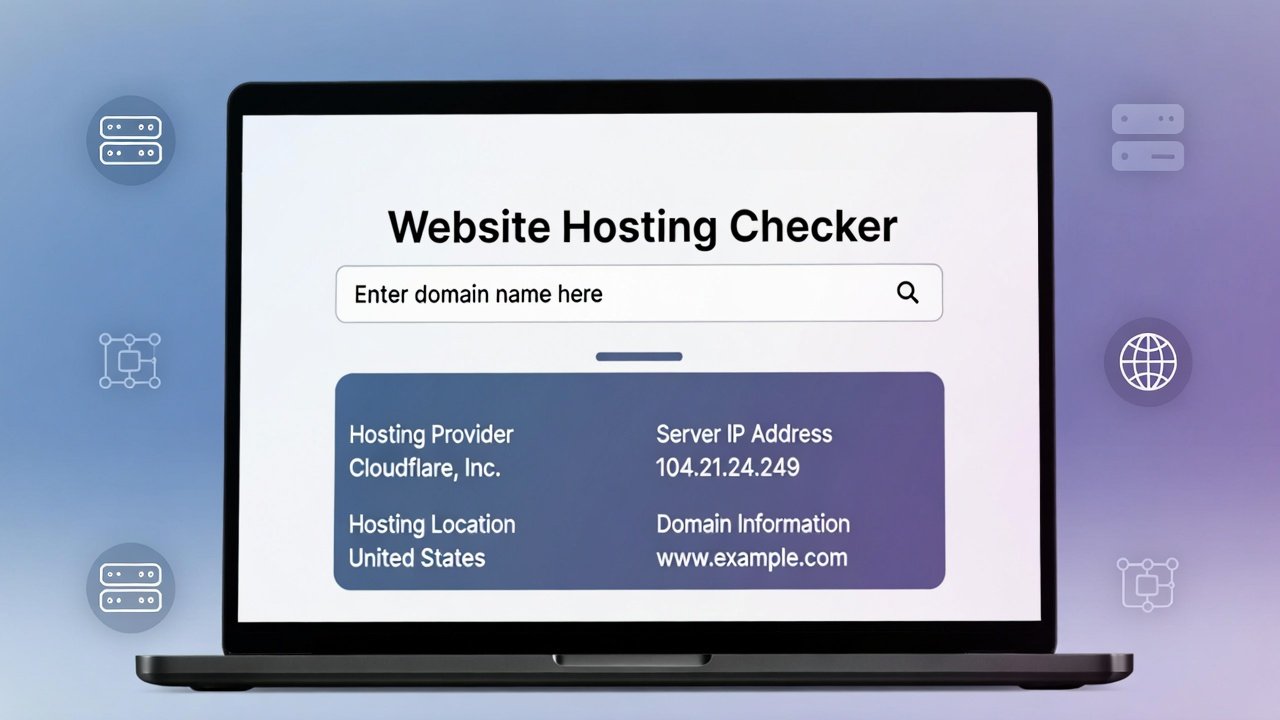
Use our free website hosting checker tool online to check who hosts a website, find domain host details, and see where a website is hosted in seconds.
Free Website Hosting Checker Tool Online
Have you ever visited a website and wondered, "Who powers this site?" Maybe you're impressed by how fast it loads and want to know which hosting company they use. Perhaps you're researching competitors and curious about their infrastructure. Or maybe you're troubleshooting your own site and need to verify hosting details.
Whatever your reason, there's a simple way to get answers. A website hosting checker tool reveals exactly where any website lives on the internet. Think of it as a reverse address lookup for the digital world. You provide a domain name, and it tells you which hosting company provides the servers, what technologies they use, and where those servers are physically located.
Whether you're a website owner evaluating competitors, a developer troubleshooting performance issues, or just someone curious about how the internet works, understanding how to use a website hosting checker tool gives you valuable insights. Let's explore everything you need to know about discovering where websites are hosted and why this information matters more than you might think.
What Exactly Is a Website Hosting Checker?
Let's start with the basics. Every website on the internet lives on a server somewhere. That server belongs to a hosting company—maybe a giant like Amazon Web Services, a specialized provider like WP Engine, or a budget host like Bluehost. A hosting checker identifies which company provides that server.
When you use a website hosting checker online, you're essentially asking:
- What company owns this server?
- Where is the server physically located?
- What other websites share this server?
- What technology stack does the site use?
This information might sound technical, but it's surprisingly useful for all kinds of situations.
How Hosting Checkers Work
The process happens behind the scenes, but understanding it helps you appreciate what you're seeing.
First, the tool looks up the website's IP address. Every server connected to the internet has a unique numeric identifier, just like your house has a street address. The domain name (like example.com) is just a friendly label that points to that IP address.
Once the tool has the IP address, it queries databases that map IP ranges to hosting companies. Internet service providers and hosting companies register blocks of IP addresses, and those registrations are public information. The tool cross-references the IP against these registrations to identify the host.
Advanced website hosting checker tools go further, analyzing:
- Network speed and performance
- Server software (Apache, Nginx, etc.)
- Content Delivery Network usage
- Geographic location
- Nameserver information
Why You Need a Website Hosting Checker
You might wonder, "When would I actually use this?" The applications are surprisingly practical.
Competitor Research
Want to know what hosting your top competitors use? A quick check website hosting reveals their provider. This information is gold for several reasons:
- If they're using a premium host and performing well, maybe you should consider it too
- If they're on budget hosting but still fast, they might have excellent optimization
- If multiple competitors use the same provider, that host might be particularly good for your industry
Competitor hosting choices tell you what's working in your space.
Troubleshooting Performance Issues
Is your site slow? Sometimes the problem isn't your site—it's your neighbors. On shared hosting, hundreds of sites share the same server. If one site gets a traffic spike or has security problems, everyone suffers.
A hosting checker of website reveals how many sites share your IP. If you're on a crowded server, moving to a less crowded one might solve performance issues instantly.
Investigating Suspicious Websites
Came across a website that seems sketchy? Maybe it's a phishing site pretending to be your bank. Checking its hosting can reveal:
- Is it hosted in a country where the real company doesn't operate?
- Does it use a known "bulletproof" hosting provider that tolerates scams?
- Is the hosting consistent with the site's claims?
These clues help you decide whether to trust the site or report it.
Planning Migrations
Thinking about switching hosts? Research where similar sites in your niche are hosted. A how to check where a website is hosted search followed by some research can reveal which providers offer the best performance for sites like yours.
Verifying Client Claims
If you're hiring a web developer or agency, they might claim to use "premium enterprise hosting." A quick check verifies whether they're telling the truth or using budget shared hosting while charging premium prices.
What a Quality Website Hosting Checker Reveals
Not all hosting checkers provide the same information. Here's what a quality tool should tell you.
Hosting Provider
The primary answer—which company actually owns and operates the server. This might be:
- A major cloud provider (AWS, Google Cloud, Microsoft Azure)
- A traditional hosting company (Bluehost, HostGator, SiteGround)
- A specialized provider (Kinsta, WP Engine, Flywheel)
- A content delivery network (Cloudflare, Fastly)
IP Address
The actual numeric address of the server. Useful for technical troubleshooting and for running additional checks.
Server Location
Physical location matters for speed. A server in Virginia serves US East Coast visitors quickly but might be slow for Australian visitors. Knowing location helps you understand geographic performance.
Nameservers
These tell you which DNS provider the site uses. Often this matches the hosting provider, but not always. Some sites use separate DNS services for better performance or security.
Response Time
Quality tools test how quickly the server responds. This gives you a baseline for comparing hosts.
Shared IP Detection
Shows how many other websites live on the same server. Thousands of sites on one IP means cheap shared hosting. A dedicated IP usually means better resources.
Server Software
Reveals whether the site runs on Apache, Nginx, LiteSpeed, or other software. Different software performs differently for different workloads.
Content Delivery Network
Detects if the site uses Cloudflare, Akamai, Fastly, or other CDNs to speed up global delivery.
How to Use a Website Hosting Checker Online
Ready to investigate some sites? Here's exactly how to do it.
Step 1: Choose Your Tool
Select a reliable website hosting checker tool. Quality matters because some free tools provide incomplete or outdated information. The best tools pull from multiple sources and update regularly.
Step 2: Enter the Domain
Type or paste the full domain name. Include the "www" or not—most tools handle both. Click the check button and wait a few seconds.
Step 3: Review the Results
Look at the hosting provider first. Is it a name you recognize? Does it match what you expected? Then examine:
- Server location
- Response time
- IP address
- Shared or dedicated hosting
Step 4: Compare Multiple Sites
Check several sites in your niche. Look for patterns. Are most using the same provider? Is there a clear performance difference between hosts?
Step 5: Dig Deeper
If you find interesting results, use additional tools to learn more. Check the IP address with a how to check website hosting tool that reveals other sites on the same server. Run speed tests to compare performance.
Understanding Different Types of Web Hosting
When you check where a site is hosted, understanding hosting types helps you interpret what you find.
Shared Hosting
Multiple websites share the same server resources. It's cheap but can be slow if neighbors are resource-hungry. Signs of shared hosting:
- Hundreds or thousands of sites on the same IP
- Budget hosting company names
- Lower response times during peak hours
Virtual Private Server (VPS)
A physical server divided into virtual compartments. Each VPS acts like its own server with dedicated resources. Signs:
- Fewer sites on the IP (often just one)
- Hosting companies that specialize in VPS
- Better, more consistent response times
Dedicated Server
An entire physical server for one customer. Maximum performance and control. Signs:
- Single site on the IP
- Enterprise hosting providers
- Very fast, consistent response times
Cloud Hosting
Resources spread across multiple servers. Extremely scalable and reliable. Signs:
- Hosting from AWS, Google, or Microsoft
- Multiple IP addresses for one site
- Excellent uptime and performance
Managed WordPress Hosting
Specialized hosting optimized for WordPress. Includes automatic updates, backups, and performance tuning. Signs:
- Providers like WP Engine, Kinsta, Flywheel
- WordPress-specific server configurations
- Excellent WordPress performance
Real-World Scenarios: Website Hosting Checker in Action
Let's walk through practical examples where hosting checking solves real problems.
Scenario 1: The Slow Competitor
Maria runs an e-commerce site. Her biggest competitor's site loads incredibly fast, even on mobile. She uses a website hosting checker and discovers they're on Kinsta's premium WordPress hosting with Cloudflare CDN.
Maria currently uses budget shared hosting. She now understands why her site is slower and has evidence to present to her boss about upgrading.
Scenario 2: The Suspicious Email
David receives an email claiming to be from his bank with a link to verify his account. Before clicking, he runs a check who hosts a website on the link's domain.
The results show the site is hosted in a country where his bank doesn't operate, on a provider known for hosting scams. David deletes the email, avoiding a phishing attempt.
Scenario 3: The Client's Secret
Javier's client claims they use "enterprise-grade hosting" and charges accordingly. Javier runs a website hosting checker tool and discovers the site is on a $5/month shared hosting plan.
Javier confronts the client, who admits they've been cutting corners. Javier finds a new client who values honesty.
Scenario 4: The Site Migration
Lei's company plans to move their site to new hosting. She uses a how to check where a website is hosted approach to research competitors and similar sites in their industry.
She discovers most successful sites in their niche use a specific cloud provider with servers in their target geographic region. Lei recommends the same provider, ensuring competitive performance from day one.
Scenario 5: The Security Audit
A security researcher discovers a phishing campaign targeting their company's customers. They use a website domain host checker on all suspect domains, mapping them to a single hosting provider in a jurisdiction with weak cybercrime laws.
The researcher reports all domains to the hosting provider, who takes them down. The campaign ends.
The Importance of Using Quality Website Hosting Checker Tools
Not all hosting checkers deliver accurate, useful information. Here's why quality matters.
Accurate Provider Identification
Some tools rely on outdated databases and misidentify hosts. A quality website hosting checker pulls from multiple authoritative sources and updates regularly.
Complete Information
Basic tools might only show the hosting company name. Quality tools provide:
- Precise server location (city, country)
- Network information (ASN, organization)
- Response time measurements
- Shared IP detection
- Technology detection
Speed and Reliability
Good tools work quickly and consistently. They handle redirects, HTTPS, and modern web standards correctly.
No Hidden Agendas
Some "free" hosting checkers exist only to upsell you on their own hosting services. Quality tools provide honest information regardless of where you host.
Bulk Checking Capabilities
For serious research, checking sites one by one wastes time. Advanced tools offer bulk checking—upload a list of domains and get comprehensive reports on all.
What Your Hosting Choice Says About You
Your hosting provider sends signals to visitors, competitors, and potential partners.
Professional Perception
Enterprise hosting on AWS or Google Cloud signals professionalism and resources. Budget shared hosting might suggest a hobby site or startup. Neither is inherently bad, but perception matters.
Geographic Reach
Servers in multiple regions suggest a global audience. Servers concentrated in one region indicate local focus. This helps visitors understand your market.
Technology Choices
Running on Nginx vs Apache, using Cloudflare vs no CDN—these choices reveal technical sophistication. A website hosting checker makes these visible.
Security Posture
Hosting with providers known for strong security sends positive signals. Using providers with poor security reputations raises questions.
Common Hosting Providers and What They Offer
When you check website hosting, you'll encounter these common providers.
Amazon Web Services (AWS)
The largest cloud provider. Powers everything from startups to Netflix. Known for:
- Infinite scalability
- Complex pricing
- Technical expertise required
- Global infrastructure
Google Cloud Platform
Google's cloud offering. Strong on data analytics and machine learning. Features:
- Excellent network speed
- Integration with Google services
- Competitive pricing
- Growing market share
Microsoft Azure
Enterprise-focused cloud. Popular with large corporations. Offers:
- Strong Windows integration
- Enterprise contracts
- Hybrid cloud options
- Extensive compliance certifications
Cloudflare
Started as CDN, now offers hosting through various products. Known for:
- Excellent performance
- Built-in security
- Developer-friendly tools
- Global network
SiteGround
Popular managed WordPress host. Appeals to small and medium businesses. Features:
- Excellent support
- WordPress optimization
- Multiple data centers
- User-friendly interface
Bluehost / HostGator
Budget shared hosting giants. Millions of small sites. Characteristics:
- Low prices
- Basic features
- Crowded servers
- Beginner-friendly
WP Engine / Kinsta
Premium managed WordPress hosts. Used by high-traffic WordPress sites. Offers:
- Exceptional performance
- Enterprise features
- Expert WordPress support
- Premium pricing
How to Choose Hosting Based on Competitor Research
Your how to check website hosting research can directly inform your own hosting decisions.
Identify Industry Standards
If 80% of successful sites in your niche use a particular provider, that provider probably does something right. Investigate why.
Compare Performance
Test response times for sites on different hosts. If one provider consistently delivers faster speeds, note that.
Check Geographic Patterns
If competitors with audiences similar to yours use specific server locations, consider matching those locations.
Evaluate Technology Choices
Notice which providers support modern technologies (HTTP/2, HTTP/3, Brotli compression, etc.). These affect performance and SEO.
Read Between the Lines
A site on premium hosting but performing poorly might have optimization issues regardless of host. A site on budget hosting but performing well might be exceptionally well-optimized.
Website Hosting Checker for Developers
If you build websites, hosting checking should be part of your workflow.
Client Discovery
When taking on a new client, check their current hosting. This reveals:
- Current performance levels
- Potential migration challenges
- Upgrade opportunities
- Security posture
Migration Planning
Before moving a site, understand the current environment. A website hosting checker tool reveals:
- Current provider (for configuration reference)
- Server software versions
- Geographic location (for DNS planning)
- Nameserver configuration
Competitive Intelligence
For agencies, understanding competitor hosting helps in pitches. "Your competitors use X, which gives them Y advantage. Here's how we can match or exceed that."
Troubleshooting
When clients report issues, check hosting as part of diagnosis. Sometimes the problem is at the host level, not the site level.
Website Hosting Checker for SEO Professionals
Hosting directly impacts search rankings. Here's how.
Page Speed
Google uses page speed as a ranking factor. Hosting quality directly affects speed. Slow hosts mean slower sites mean lower rankings.
Uptime
If your site is down when Google crawls, that hurts rankings. Reliable hosts keep you visible.
Geographic Targeting
Server location affects speed for local searchers. If you target US customers but host in Europe, you're at a disadvantage.
Security
Compromised sites get flagged or blacklisted. Secure hosts protect your rankings by protecting your site.
Scalability
When you get traffic spikes (from successful SEO), your host must handle the load. Sites that crash lose rankings.
A website hosting checker online helps SEO professionals evaluate these factors for competitors and clients.
Advanced Website Hosting Checker Techniques
Once you've mastered basic checks, try these advanced approaches.
IP Range Analysis
If you find one site on a host, check the entire IP range. This reveals the host's customer density and the types of sites they host.
Historical Hosting Data
Some advanced tools show hosting history. Has the site moved recently? From where? This reveals growth or cost-cutting patterns.
CDN Detection
Identify not just hosting but content delivery networks. Many sites use multiple providers—hosting from AWS plus CDN from Cloudflare, for example.
Technology Stack Detection
Advanced tools identify:
- Web server software
- Programming languages
- Content management systems
- JavaScript frameworks
- Analytics and tracking tools
Performance Benchmarking
Compare response times across multiple hosts. Create benchmarks for different provider categories.
Common Website Hosting Checker Mistakes
Even experienced users make errors. Avoid these pitfalls.
Mistake 1: Confusing Registrar with Host
The domain registrar (where they bought the domain) is different from the hosting provider (where the site lives). A website domain host checker should distinguish between them.
Mistake 2: Ignoring CDNs
If a site uses Cloudflare, the IP you see belongs to Cloudflare, not the origin host. Quality tools detect this and show both.
Mistake 3: Assuming Shared Means Bad
Shared hosting isn't inherently bad. Many excellent sites run on quality shared hosting. Context matters.
Mistake 4: Relying on One Tool
Different tools have different data sources. Cross-reference results from multiple tools for important decisions.
Mistake 5: Forgetting About Dynamic IPs
Some hosting setups use dynamic IPs that change. One check might not tell the full story.
Frequently Asked Questions About Website Hosting Checker
Let's address common questions.
What is a website hosting checker?
A website hosting checker is a tool that identifies which company provides hosting services for a given website. It reveals the hosting provider, server location, IP address, and often additional technical details.
How do I check where a website is hosted?
Use an online website hosting checker tool. Enter the domain name, and the tool will return hosting information. For quick checks, you can also use command-line tools like "ping" or "nslookup" to find the IP, then look up who owns that IP.
Is it legal to check someone's hosting?
Yes, absolutely. Hosting information is publicly available, just like knowing that a business operates out of a particular building. There's nothing private or protected about which company provides hosting for a publicly accessible website.
Why would I need to check website hosting?
Common reasons include competitor research, troubleshooting performance issues, investigating suspicious websites, planning migrations, and verifying client claims about hosting quality.
What information will a hosting checker reveal?
Quality tools reveal:
- Hosting provider name
- Server IP address
- Physical server location
- Response time
- Nameservers
- Shared IP status
- Server software
- CDN usage
Can I check multiple websites at once?
Yes, advanced website hosting checker tools offer bulk checking. Upload a list of domains and get comprehensive reports on all at once.
How accurate are hosting checkers?
Accuracy depends on the tool's data sources. Quality tools pulling from authoritative IP databases are highly accurate. Free tools with outdated databases may misidentify hosts.
What's the difference between hosting and domain registrar?
The registrar is where you bought the domain name (like GoDaddy or Namecheap). The host is where your website files live. They can be the same company or completely different. A good hosting checker distinguishes between them.
How do I find the best hosting for my needs?
Research competitors using a how to check website hosting approach. See what successful sites in your niche use. Then evaluate those providers based on your specific needs for performance, support, and price.
Can hosting affect my SEO?
Yes, significantly. Hosting affects page speed, uptime, and security—all factors in search rankings. Poor hosting can hurt your SEO regardless of content quality.
The Future of Website Hosting
Understanding hosting trends helps you interpret what you find.
Serverless Architecture
More sites moving to serverless—code runs only when requested, scaling automatically. Detection becomes trickier as there's no traditional "server" to identify.
Edge Computing
Computing moves closer to users. Detection tools must evolve to identify edge providers alongside traditional hosts.
Multi-Cloud Strategies
Large sites increasingly use multiple providers simultaneously. One site might use AWS for compute, Google Cloud for data, and Cloudflare for delivery.
Green Hosting
Environmentally conscious hosting grows. Look for hosts using renewable energy and efficient infrastructure.
Specialized Providers
More niche hosts emerge—WordPress-only, e-commerce-specific, agency-focused. Detection tools must keep pace with new entrants.
Conclusion: Why Website Hosting Knowledge Matters
Every website has a home. That home affects everything about the site—how fast it loads, how secure it is, how well it handles traffic, and even how it ranks in search results.
A website hosting checker gives you a window into those homes. You see where successful sites live and learn from their choices. You identify potential problems with your own hosting by comparing to competitors. You spot suspicious sites before engaging with them.
This knowledge isn't just technical trivia. It's practical intelligence that helps you make better decisions about your own online presence. Should you switch hosts? Which provider performs best in your niche? Is your current host holding you back? These questions have answers, and a hosting checker helps you find them.
The difference between guessing about hosting and knowing is the difference between hoping your site performs well and ensuring it does.
[Discover Where Any Website Lives]Curious about the hosting behind your favorite sites? Want to know if your competitors have an infrastructure advantage? One quick check reveals everything. Visit ultratoolsuite.com now to use our professional website hosting checker tool. See exactly which providers power the sites you admire, evaluate your own hosting against industry standards, and make informed decisions about where your site should live. Your website's home matters—make sure it's the right one.