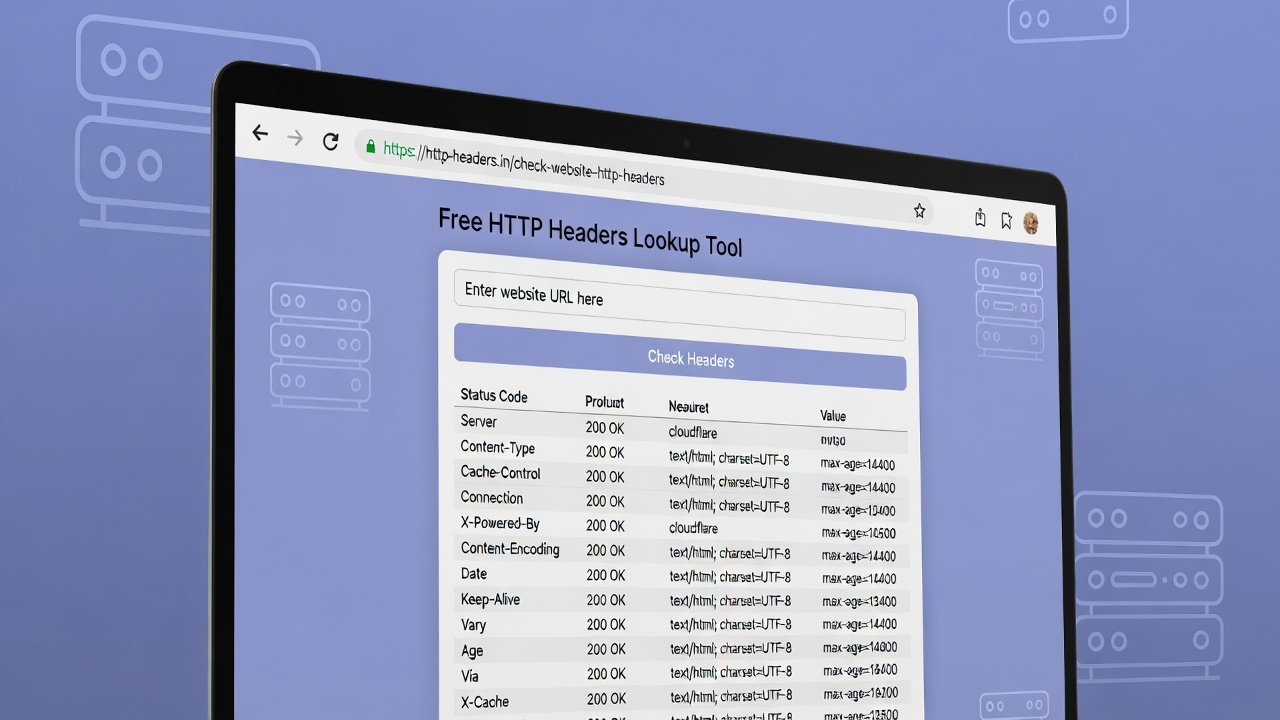
Use our free HTTP headers lookup online tool to quickly lookup HTTP headers, check server responses, and analyze website header details in seconds.
Free HTTP Headers Lookup Online Tool
Have you ever wondered what happens behind the scenes when you click a link or type a website address into your browser? The magic of the internet happens in milliseconds, and at the heart of every single website visit lies a fascinating conversation between your browser and the web server. This conversation is packed with valuable information hiding in plain sight.
That's where an HTTP headers lookup tool becomes your window into this hidden world. Think of HTTP headers as the envelope around a letter—they don't contain the message itself (the website content), but they tell you everything about how that message was sent, where it came from, and what rules governed its delivery.
Whether you're a website owner troubleshooting performance issues, a developer debugging your latest creation, or just a curious internet user who wants to understand how websites really work, learning to read HTTP headers opens up a whole new dimension of the web. Let's pull back the curtain and explore why you need a reliable way to lookup http headers and what those headers are really telling you.
What Exactly Are HTTP Headers?
Before we dive into tools and techniques, let's start with a simple explanation of what HTTP headers actually are. Every time your browser requests a webpage, it sends a request to a server. That server then sends back a response. Both the request and the response come with headers attached.
Headers are essentially metadata—data about data. They don't contain the actual content you see on the page, but they describe that content and the rules for handling it. When you perform an HTTP headers lookup, you're essentially asking the server, "Tell me about yourself and about how you're delivering this content."
Some common headers you'll encounter include:
- Content-Type: Tells your browser what kind of file it's receiving (HTML, image, JSON, etc.)
- Server: Reveals what software the web server is running (Apache, Nginx, etc.)
- Cache-Control: Instructs your browser on how long to store copies of files
- Set-Cookie: Delivers cookies from the website to your browser
- Status Code: Tells you whether the request succeeded or failed (200 means success, 404 means not found, etc.)
Each header serves a specific purpose, and together they create a complete picture of how a website delivers its content.
Why Headers Matter More Than You Think
Most internet users never think about headers, and that's perfectly fine for everyday browsing. But if you own a website, develop web applications, or care about online privacy and security, headers become essential reading.
Headers reveal:
- Whether a website uses secure connections
- How a website handles your data
- What technology powers the site
- Whether the site is optimized for performance
- If there are errors preventing proper loading
A quick lookup http headers check can answer questions that would otherwise require deep technical investigation.
The Hidden Conversation Between Browser and Server
Let's walk through what actually happens when you visit a website. Understanding this process helps you appreciate why headers matter.
Step 1: Your Browser Makes a Request
You type "example.com" into your address bar and hit enter. Your browser immediately crafts an HTTP request. This request includes headers that tell the server:
- What browser you're using (User-Agent)
- What types of files you can accept (Accept headers)
- What website you're trying to visit (Host header)
- Whether you've visited before (Cookie headers)
Step 2: The Server Responds
The server receives your request and prepares a response. Along with the actual webpage content, it sends back response headers that tell your browser:
- What type of content this is
- How to cache it
- What security policies to enforce
- Whether the request succeeded
Step 3: Your Browser Interprets the Headers
Before displaying the page, your browser reads these headers and follows their instructions. Cache headers determine whether it stores files locally. Security headers might block certain types of content. Content-type headers tell it how to render the page.
An HTTP headers lookup online tool captures this entire conversation and displays it in a readable format. You get to see exactly what your browser sees.
Why You Need an HTTP Headers Lookup Tool
Now that you understand what headers are, let's explore the practical reasons why you'd want to examine them regularly.
Troubleshooting Website Problems
Imagine your website is loading slowly, or certain images aren't displaying correctly. Maybe some users report that they can't log in. These issues can often be traced back to header problems.
When you perform an HTTP headers lookup on your site, you might discover:
- Missing cache headers that force browsers to reload everything every time
- Incorrect content-type headers that confuse browsers about file types
- Redirect loops shown through multiple 301/302 status codes
- Server errors (5xx codes) that indicate backend problems
Each of these discoveries points directly to a fix. Without header analysis, you're essentially guessing at the problem.
Security Auditing and Privacy Checking
Headers play a crucial role in website security. Modern security headers tell browsers how to protect visitors from common attacks. When you lookup http headers on any website, you can immediately see whether they've implemented essential security measures.
Key security headers to look for include:
- Strict-Transport-Security (HSTS): Forces browsers to always use HTTPS
- Content-Security-Policy: Prevents XSS attacks by controlling what resources can load
- X-Frame-Options: Prevents clickjacking by controlling if your site can be embedded in frames
- X-Content-Type-Options: Prevents MIME type sniffing attacks
A website missing these headers is potentially vulnerable. If it's your own site, you know what needs fixing. If it's a site you visit, you understand the risks.
Performance Optimization
Website speed affects user experience and search rankings. Headers contain crucial performance information:
- Cache-Control and Expires headers tell you if resources are being cached properly
- Content-Encoding reveals if compression is enabled (gzip or brotli)
- Age header shows how long a cached copy has been sitting on a CDN
Running an HTTP headers lookup online tool on your site regularly helps you spot performance issues before they affect your visitors.
Understanding Your Competition
Curious about what technology stack your competitors use? Headers often reveal:
- The web server software (Apache, Nginx, IIS, Cloudflare)
- The programming language (PHP, Python, Ruby, ASP.NET)
- Caching solutions and CDNs
- Analytics and tracking tools
This intelligence helps you understand how competitors build and scale their websites.
How to Read HTTP Headers Like a Pro
When you first look at raw headers, they can seem like gibberish. Let's break down the most important ones and what they mean.
Request Headers vs. Response Headers
Headers come in two flavors. Request headers go from browser to server. Response headers come back from server to browser.
Common request headers you'll see:
- User-Agent: Identifies your browser and operating system
- Accept: Tells the server what content types you can handle
- Referer: Shows which page sent you to this URL
- Cookie: Sends stored cookies back to the server
Common response headers:
- Status Code: The most important—tells you if the request worked
- Content-Type: What kind of file is being sent
- Cache-Control: How and when to cache this content
- Set-Cookie: Instructions to store a cookie
Understanding Status Codes
Status codes are three-digit numbers that summarize what happened with your request. They're grouped into categories:
2xx Success Codes:
- 200 OK: Everything worked perfectly
- 204 No Content: Success but nothing to show
3xx Redirection Codes:
- 301 Moved Permanently: Page has moved for good
- 302 Found: Page temporarily moved
- 304 Not Modified: Use your cached copy
4xx Client Error Codes:
- 404 Not Found: Page doesn't exist
- 403 Forbidden: You're not allowed access
- 429 Too Many Requests: You've been rate-limited
5xx Server Error Codes:
- 500 Internal Server Error: Something broke on the server
- 503 Service Unavailable: Server is overloaded or down
When you perform an HTTP headers lookup, the status code should be your first check. It tells you immediately whether the request succeeded.
The Importance of Using Quality HTTP Headers Lookup Tools
Not all header lookup tools deliver the same results. Free, basic tools might show you the basics, but when you need accuracy and depth, quality matters.
Complete Header Information
A good HTTP headers lookup online tool shows you both request and response headers. Some tools only show response headers, leaving you with half the picture. Request headers matter because they reveal what your browser actually sent, which affects how the server responds.
Quality tools also preserve header order. Headers are processed in sequence, and order sometimes matters. Duplicate headers can override earlier ones, and seeing the full sequence helps you understand what's really happening.
Handling Redirects Properly
Many websites use redirects. You request one URL and get sent to another. A basic tool might only show you the final destination's headers, missing crucial information about the redirect chain.
Professional HTTP headers lookup tools follow the entire redirect chain and show you headers for each step. This reveals:
- How many redirects are happening
- Whether redirects are temporary or permanent
- If any redirects are broken or looping
- Performance impact of multiple redirects
Mobile and Desktop Simulation
Websites often serve different content to mobile and desktop users. The headers change based on your device. Quality tools let you simulate different user agents, showing you exactly what mobile visitors experience versus desktop visitors.
Security Analysis Integration
The best HTTP headers lookup online tools don't just show you headers—they interpret them. They highlight missing security headers, flag potential issues, and explain what each header means. This turns raw data into actionable insights.
Common HTTP Headers and What They Reveal
Let's explore the most frequently encountered headers and what they tell you about a website.
Security Headers Deep Dive
Strict-Transport-Security (HSTS):
This header tells browsers to always use HTTPS for this site. If you see "max-age=31536000" that means the site has enforced HTTPS for the next year. This protects against downgrade attacks that try to force HTTP connections.
Content-Security-Policy (CSP):
This is one of the most powerful security headers. It tells the browser exactly where content can load from. A strict CSP might say "only load scripts from this specific domain." This prevents attackers from injecting malicious scripts even if they find a vulnerability.
X-Frame-Options:
With values like "DENY" or "SAMEORIGIN," this header prevents your site from being embedded in iframes on other domains. This stops clickjacking attacks where malicious sites trick users into clicking buttons on hidden frames.
Referrer-Policy:
This controls how much referrer information gets sent when users click links on your site. Strict policies protect user privacy by limiting data sharing.
Caching Headers Explained
Cache-Control:
This header tells browsers and CDNs how to cache content. "public, max-age=3600" means anyone can cache this for one hour. "private, no-cache" means don't cache at all—often used for personalized content.
Expires:
An older header that provides an expiration date and time. Modern sites prefer Cache-Control, but you'll still see Expires on many older websites.
ETag:
A unique identifier for a specific version of a resource. When browsers send this back to the server, the server can quickly check if the content has changed, saving bandwidth.
Server and Technology Headers
Server:
This reveals the web server software. "Apache/2.4.41" or "nginx/1.18.0" tells you exactly what's running. Some sites hide this for security reasons, showing only generic information.
X-Powered-By:
Often reveals the programming language or framework. "PHP/7.4" or "ASP.NET" tells developers what technology powers the site.
Set-Cookie:
Shows what cookies the site wants to store. You can see cookie names, expiration dates, and security flags like "HttpOnly" and "Secure" that protect against certain attacks.
Real-World Scenarios: HTTP Headers Lookup in Action
Let's walk through practical examples where checking headers solves real problems.
Scenario 1: The Slow Loading Website
Maria runs an e-commerce site. Customers complain that pages load slowly, especially images. She runs an HTTP headers lookup on her product pages and discovers:
- No cache headers on images, forcing browsers to download everything fresh each visit
- Multiple 301 redirects on the main navigation links
- A server header showing an outdated Apache version
With this information, Maria's development team:
- Adds proper cache headers for static assets
- Cleans up the redirect chain
- Updates the server software for better performance
Page load times drop by 40%, and customer complaints disappear.
Scenario 2: The Suspicious Email Link
David receives an email claiming to be from his bank with a link to verify his account. Suspicious, he doesn't click but instead uses an HTTP headers lookup online tool to examine the link safely.
The headers reveal:
- The server is located in a country where his bank doesn't operate
- Security headers like HSTS are completely missing
- The server header shows an outdated, vulnerable software version
- The status code is 200 (page exists), but content-type suggests it's a phishing form
David reports the phishing site and avoids becoming a victim. The headers gave him the truth without risking his personal information.
Scenario 3: The Broken Website Migration
Javier just moved his company website to a new hosting provider. Nothing works right—images missing, styles broken, some pages not loading at all. He performs a lookup http headers on several pages and finds:
- Mixed content warnings (some resources loading over HTTP, some over HTTPS)
- Incorrect content-type headers on CSS files (serving as plain text instead of stylesheets)
- 404 errors on moved images
- Missing compression headers causing slow loading
Each header issue points to a specific configuration problem. Javier fixes them one by one, and within hours the site works perfectly on the new host.
Scenario 4: The Security Audit
Lei's company requires regular security audits of their website. She runs comprehensive HTTP headers lookup checks across all company domains and discovers:
- One subsidiary site missing Content-Security-Policy headers
- Several old domains with expired SSL certificates showing connection errors
- A development server accidentally exposed to the internet with debugging headers enabled
Lei's team addresses each issue, closing security gaps before attackers can exploit them.
Advanced HTTP Headers Lookup Techniques
Ready to go beyond basic checks? Here are advanced techniques power users employ.
Analyzing Redirect Chains
When you lookup http headers on any URL, pay attention to redirects. Each redirect adds latency. A clean site might have zero redirects. A poorly optimized site might have three or four.
Examine each redirect's status code:
- 301 redirects are permanent and get cached by browsers
- 302 redirects are temporary and don't get cached
- Meta refreshes (HTML-based redirects) are even slower
Quality tools show you the entire chain so you can optimize the user journey.
Comparing Desktop and Mobile Headers
Many sites use responsive design, but some serve completely different content to mobile users. Run separate HTTP headers lookup online tool checks with desktop and mobile user agents. Compare:
- Are the same cache headers present?
- Does mobile get compressed versions?
- Are security headers consistent?
- Any differences in cookie handling?
Discrepancies might indicate mobile-specific issues or optimizations.
Checking API Endpoints
Websites aren't the only things using HTTP headers. APIs rely heavily on headers for authentication, content negotiation, and rate limiting. When developing or testing APIs, header analysis becomes essential:
- Check authentication headers (Authorization, Bearer tokens)
- Verify content negotiation (Accept, Content-Type)
- Monitor rate limit headers (X-RateLimit-Limit, X-RateLimit-Remaining)
- Debug CORS issues (Access-Control-Allow-Origin)
Historical Header Analysis
Some advanced tools let you compare headers over time. Has your site's security posture improved? Did a recent deployment change caching behavior? Historical analysis reveals trends and catches regressions before they affect users.
Common HTTP Headers Lookup Mistakes
Even experienced developers make mistakes interpreting headers. Avoid these common pitfalls.
Mistake 1: Ignoring Request Headers
Many people only look at response headers, but request headers tell half the story. If you're troubleshooting why a site behaves differently for certain users, examine what those users' browsers are sending.
Mistake 2: Misinterpreting Cache Headers
Cache headers can be confusing. "no-cache" doesn't mean no caching—it means browsers must check with the server before using cached copies. "no-store" means truly no caching. Understanding these nuances prevents incorrect conclusions.
Mistake 3: Overlooking Case Sensitivity
Header names are case-insensitive, but some servers and applications treat them inconsistently. Quality HTTP headers lookup online tools normalize case so you can compare accurately.
Mistake 4: Forgetting About CDNs
When a site uses Cloudflare, Akamai, or another CDN, the headers you see come from the CDN, not the origin server. This is fine for understanding the user experience, but for debugging origin issues, you need tools that can bypass the CDN.
The Future of HTTP Headers
HTTP continues evolving, and headers evolve with it. Here's what's changing.
HTTP/2 and HTTP/3 Headers
Newer HTTP versions handle headers differently. HTTP/2 compresses headers to reduce overhead. HTTP/3 runs over QUIC instead of TCP, changing how connections establish and recover from packet loss.
Quality HTTP headers lookup tools support all protocol versions, showing you exactly how modern sites deliver content.
New Security Headers
Security best practices keep advancing. New headers like:
- Permissions-Policy: Controls browser features (camera, microphone, geolocation)
- Cross-Origin-Embedder-Policy: Enhances security for cross-origin resources
- Cross-Origin-Opener-Policy: Isolates windows against certain attacks
Staying current with emerging headers helps you maintain strong security.
Privacy-Focused Headers
As privacy concerns grow, new headers help protect users:
- Global Privacy Control: Signals user preference to not sell data
- Sec-GPC: Another privacy preference signal
- DNT (Do Not Track): Older, largely deprecated but still seen
Understanding these helps you respect user privacy preferences.
Step-by-Step Guide: Performing Your First HTTP Headers Lookup
Ready to try it yourself? Here's exactly how to examine headers and understand what you find.
Step 1: Choose Your Tool
Select a reliable HTTP headers lookup online tool. For serious work, use a professional tool that shows complete header information and handles redirects properly. Free tools work for casual checks, but depth matters for real analysis.
Step 2: Enter Your URL
Type or paste the full URL you want to check. Include the protocol (https://) for accurate results. Click the lookup button and wait a few seconds.
Step 3: Check the Status Code First
Look at the HTTP status code. 200 means success. Anything else tells you something's different—a redirect, an error, or a permission issue. Always start here.
Step 4: Review Response Headers
Scan through the response headers. Look for:
- Security headers (are they present and properly configured?)
- Cache headers (is caching optimized?)
- Server information (what technology powers this site?)
Step 5: Examine Request Headers
If your tool shows request headers, review what your simulated browser sent. This context helps explain the response you received.
Step 6: Follow Redirects
If your URL redirected, examine each step. Are the redirects necessary? Could they be eliminated or consolidated?
Step 7: Document and Act
Note any issues you find. For your own sites, create a fix list. For sites you visit, understand the risks. For research, save the results for comparison later.
[Get Complete Header Analysis Today]
Ready to see everything your browser isn't telling you? Our professional HTTP headers lookup online tool reveals the full conversation between browser and server, including redirect chains, security analysis, and performance insights that free tools miss. Click here to start your first deep dive at ultratoolsuite.com and discover what your favorite websites are really saying behind the scenes.
Integrating HTTP Headers Lookup Into Your Workflow
To get maximum value, make header checks a regular habit rather than a one-time task.
For Website Owners
Schedule weekly HTTP headers lookup checks on your critical pages. Monitor for:
- Unexpected changes after deployments
- Security header drift (missing headers after updates)
- Performance degradation from caching issues
- Broken redirects
Automated monitoring catches problems before customers notice.
For Developers
Integrate header checking into your development workflow. Before deploying, run a lookup http headers on staging environments to verify:
- Security headers are correctly set
- Caching works as designed
- No sensitive information leaks in headers
- API responses include proper CORS headers
This prevents production surprises.
For Security Professionals
Build header analysis into your regular security assessments. Maintain a baseline of expected headers for your organization's properties. Investigate any deviations immediately.
Use HTTP headers lookup online tools during incident response to understand how attackers might have exploited header misconfigurations.
For SEO Specialists
Headers affect search rankings. Monitor:
- Canonical headers for duplicate content issues
- Status codes to ensure pages are accessible
- Redirect chains that waste crawl budget
- HSTS implementation for HTTPS preference signals
Header optimization contributes to better search performance.
Frequently Asked Questions About HTTP Headers Lookup
Let's address common questions to deepen your understanding.
What information can I get from an HTTP headers lookup?
You'll discover the web server software, security configurations, caching policies, content types, status codes, redirect chains, cookies, and much more. Essentially, you see all the metadata about how a website delivers its content.
Is HTTP headers lookup legal?
Absolutely. Headers are publicly sent with every web request. Examining them is like reading a public conversation—completely legal and ethical. Just don't use the information to attack websites or violate terms of service.
Can headers reveal personal information?
Headers can reveal your IP address, browser type, and operating system through the User-Agent header. They may also send cookies that identify you to websites. However, when you use a lookup http headers tool, you're typically anonymous unless you're logged into the site.
Why do different tools show different headers?
Different tools make different requests. Some use desktop user agents, some mobile. Some follow redirects, some don't. Some include authentication, some don't. Quality tools let you control these variables for consistent results.
How often should I check my website's headers?
At minimum, check after every significant deployment. For critical sites, consider daily automated monitoring. Security headers especially should be checked frequently as misconfigurations can happen anytime.
What are the most important security headers?
Strict-Transport-Security (HSTS), Content-Security-Policy (CSP), X-Frame-Options, and X-Content-Type-Options are foundational. Modern sites should also implement Permissions-Policy and Referrer-Policy.
Can I perform HTTP headers lookup on any website?
Yes, any publicly accessible website returns headers when requested. Some sites may block automated tools, but legitimate headers lookup tools use standard browser-like requests that work everywhere.
What's the difference between HTTP headers and HTML meta tags?
Headers are sent before the HTML content and control how browsers handle the entire request. Meta tags live inside the HTML and primarily affect how the page content is displayed or indexed. Both matter, but headers control the connection itself.
How do I fix missing security headers?
Work with your web host or development team to add headers at the server level. For Apache, you'd modify .htaccess. For Nginx, you'd update the server configuration. For sites behind Cloudflare, you can add headers through their dashboard.
Can headers affect my SEO?
Yes. Status codes tell search engines if pages exist or are broken. Canonical headers prevent duplicate content penalties. Cache headers affect page speed, which is a ranking factor. HSTS headers signal HTTPS preference. Headers absolutely impact SEO.
Conclusion: Why HTTP Headers Deserve Your Attention
Headers are the invisible foundation of every web experience. They determine whether your connection is secure, how fast pages load, whether content displays correctly, and what information gets shared along the way.
For website owners, understanding headers means understanding your own infrastructure. You spot problems before users do, optimize performance proactively, and maintain security configurations that protect your visitors.
For curious internet users, headers reveal the truth behind the websites you visit. You see through redirect tricks, identify insecure connections, and understand the technology powering your favorite online destinations.
The difference between guessing and knowing comes down to having the right tools. A professional HTTP headers lookup online tool transforms cryptic technical data into actionable insights. Whether you're troubleshooting, auditing, or just learning, header analysis belongs in your digital toolkit.
[Start Exploring HTTP Headers Now]
Don't let another website mystery go unsolved. With the right HTTP headers lookup tool, you have the power to see exactly what happens every time you click a link. Visit ultratoolsuite.com today to access professional header analysis tools that reveal the full story behind every website. Your journey into the hidden world of HTTP headers starts now—one click away, you'll never look at websites the same way again.