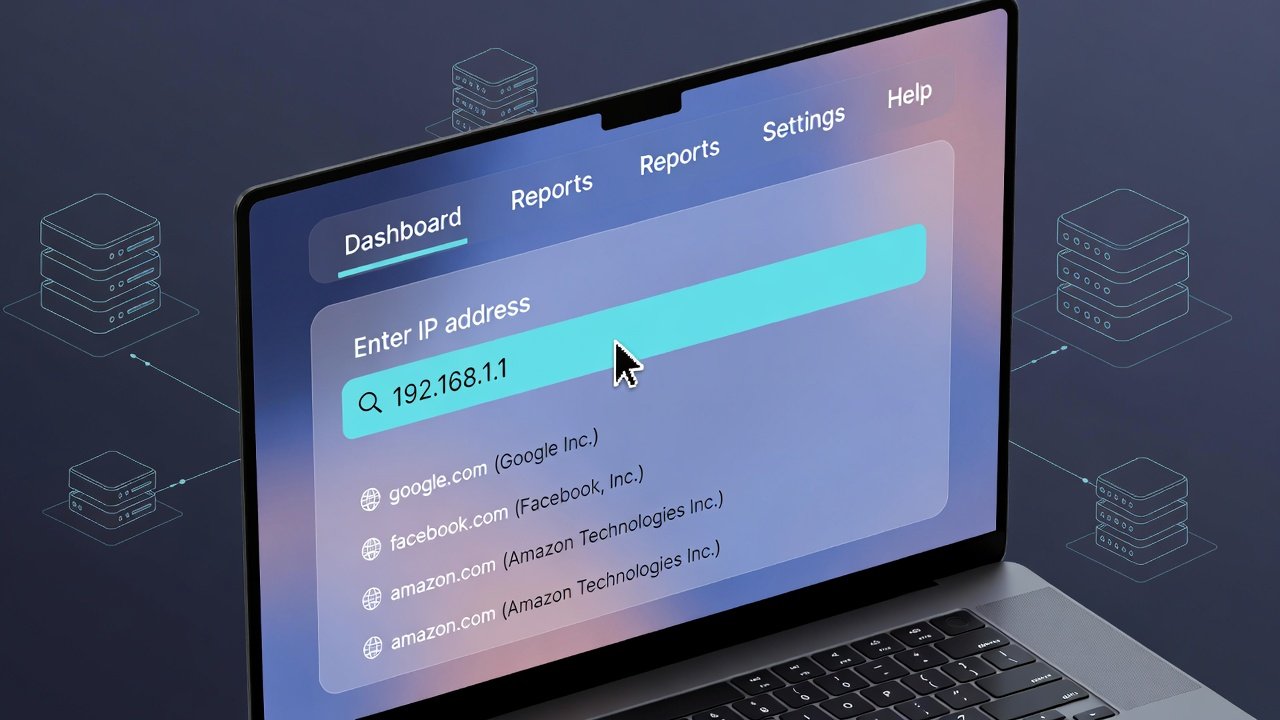
Use our reverse IP lookup tool to find all domains on one IP. Fast reverse DNS IP lookup and reverse IP address lookup in seconds.
Reverse IP Lookup Tool | Reverse DNS & IP Lookup
Ever wondered who else is sharing your server? Or perhaps you're investigating a suspicious IP address that keeps showing up in your server logs? The digital world is more connected than you might think, and sometimes a single IP address can host dozens—or even hundreds—of different websites.
That's where a reverse ip lookup tool becomes absolutely indispensable. Think of it as looking at a massive apartment building. While a standard DNS lookup tells you which building someone lives in, a reverse lookup reveals every single tenant sharing that same address.
Let's dive deep into the world of reverse IP lookups, why they matter for your online security and research, and how you can leverage these powerful tools to gain valuable insights. Whether you're a website owner, cybersecurity enthusiast, or just curious about the infrastructure behind your favorite sites, understanding this technology puts powerful investigative capabilities right at your fingertips.
Understanding the Basics: What Is a Reverse IP Lookup?
Before we get into the technical weeds, let's break this down in simple terms. You're probably already familiar with how domain names work. When you type "google.com" into your browser, a standard DNS lookup translates that human-friendly name into a machine-friendly IP address (like 142.250.185.46). Your browser connects to that address, and voilà—you're on Google.
A reverse ip lookup flips this entire process on its head.
Instead of starting with a domain name to find an IP, you start with an IP address to find all the domain names hosted on that same server. It answers the fundamental question: "What other websites live at this address?"
This is incredibly useful information because in modern web hosting, servers rarely host just one single website. Shared hosting plans, virtual private servers, and even dedicated servers often house multiple websites. A reverse ip lookup tool scans the IP address you provide and returns a comprehensive list of every domain it can find associated with that specific server.
How Does Reverse DNS IP Lookup Differ?
You might hear the terms "reverse IP lookup" and "reverse DNS lookup" used interchangeably, but there's a subtle technical difference worth understanding.
- Reverse IP Lookup: This typically refers to scanning web server data, analyzing server logs, and crawling the web to discover which domains resolve to a particular IP address. It's about finding websites hosted on a server.
- Reverse DNS Lookup (rDNS): This is a more technical DNS function. It uses a special DNS record called a PTR (pointer) record. When you perform a reverse dns ip lookup, you're asking the DNS system, "What is the hostname associated with this IP address?" It returns a single name, not a list of websites.
For most practical purposes, when people talk about finding websites hosted on a server, they're referring to the first type—the reverse ip lookup location and domain discovery method we'll focus on throughout this guide.
Why You Need a Reliable Reverse IP Lookup Tool
So, why should you care about this? Whether you're managing your own online properties or just browsing the web, having access to a quality reverse ip lookup tool opens up a world of possibilities. Let's explore the most compelling reasons to add this to your digital toolkit.
1. Strengthening Your Cybersecurity Posture
In today's threat landscape, vigilance is non-negotiable. If you run a website, you need to know your digital neighbors. Here's how a reverse lookup helps:
- Identifying Malicious Neighbors: Imagine you run a small e-commerce store on a shared hosting plan. By performing a reverse ip lookup, you discover that five other sites on your server are known for distributing malware or running phishing scams. This is a massive red flag! Search engines might blacklist the entire IP address, potentially penalizing your innocent site simply because of who you're sharing server space with. Knowing this allows you to contact your hosting provider immediately or consider moving to a cleaner, more reputable server environment.
- Investigating Suspicious Traffic: Notice repeated login attempts from a specific IP address in your security logs? Instead of just blocking it blindly, use a reverse ip address lookup. It might reveal that the IP belongs to a known proxy service, a Tor exit node, or perhaps it hosts hundreds of spam-related domains. This confirms your suspicion and helps you build stronger, more informed firewall rules.
- Uncovering Phishing Networks: Cybersecurity researchers frequently use reverse lookups to find connections between phishing sites. Scammers often host dozens of fraudulent landing pages on a single server to save money. By finding one phishing site and running a free reverse ip lookup tool on its IP, you can often uncover the entire network of scam domains, helping to protect more potential victims.
2. Competitive Intelligence and Market Research
Knowledge is power, especially in business. Your competitors might not be thrilled about you using these tools, but that doesn't make it any less valuable for your own market research.
- Discovering a Competitor's Online Empire: A company might operate under one main brand but own numerous other sites for different products, services, or even niche affiliate sites. By running a reverse ip lookup on their main website's IP, you might uncover their entire portfolio. This can reveal new market segments they're targeting, content strategies they're testing, or business partnerships you weren't aware of.
- Evaluating Hosting Choices: Curious about what kind of hosting infrastructure your top competitors are using? A reverse lookup can give you clues. An IP address hosting only one or two high-traffic, complex sites might indicate a dedicated server or a robust cloud setup. An IP with hundreds of generic, smaller sites screams "shared hosting." This information can inform your own infrastructure decisions.
3. SEO and Website Management Insights
Search engine optimization is a game of understanding connections and ensuring your site isn't being negatively impacted by factors outside your control.
- Avoiding the "Bad Neighborhood" Effect: As mentioned earlier, Google's algorithm is sophisticated. While it doesn't explicitly penalize sites just for sharing an IP, being in a "bad neighborhood" can indirectly affect you. If spammy sites on your server get your IP address blacklisted, it can impact your email deliverability and potentially how search engine crawlers perceive your server's overall trustworthiness. A quick reverse ip lookup free check helps you vet potential hosting providers before you sign up.
- Auditing Your Own Network: Do you own multiple websites? Have you forgotten about some old projects? Running a reverse ip lookup domain check on your own IP addresses is a fantastic way to audit your digital footprint. You might be surprised to find forgotten staging sites, development servers, or old domains that are still pointing to your active IP, which could pose security risks if left unmaintained.
4. Verifying Website Ownership and Legitimacy
When you encounter a new or unfamiliar website, a reverse lookup can provide valuable context.
- Is This Site Part of a Larger Network? You stumble upon a blog with some interesting articles. A reverse lookup might reveal that the same IP hosts dozens of other sites that all look identical, suggesting it's part of a content farm or a private blog network (PBN), which can affect how you perceive the credibility of its content.
- Checking E-commerce Trust: Before making a purchase from a small, unknown online store, you can run a reverse ip address lookup. If the IP is shared with hundreds of other random sites, some of which look like cookie-cutter dropshipping stores, you might want to proceed with caution. If the IP is clean and hosts only that one store, it suggests a more dedicated and potentially trustworthy setup.
Key Features of a Top-Tier Reverse IP Lookup Tool
Not all tools are created equal. If you're going to rely on this data for security or business decisions, you need accurate, comprehensive information. Here's what separates a basic tool from a professional-grade reverse ip lookup tool.
Comprehensive and Up-to-Date Database
The internet is dynamic. Sites are launched, moved, and taken down every single second. A quality tool relies on a massive, constantly updated database. It doesn't just query DNS; it actively crawls the web, analyzes vast amounts of data, and aggregates information from multiple sources to provide the most complete picture possible. An outdated database might tell you an IP is "clean," when in reality, it's currently hosting a dozen new spam sites.
Detailed Reporting and Data Points
Getting a simple list of domains is a great start. But a truly powerful reverse ip lookup tool goes several steps further, providing enriched data that gives you deeper context. Look for tools that offer:
- Domain Creation Dates: Helps determine if a site is new and potentially suspicious.
- Hosting Provider Information: Confirms where the server is physically or virtually located.
- Server Type and Technology: Insights into the software running on the server (e.g., Apache, Nginx).
- Related IPs and Subnets: Sometimes, a malicious actor will use multiple IPs in the same range. A good tool can show you these connections.
- Historical Data: Being able to see what domains used to be hosted on an IP is incredibly valuable for forensic analysis.
Ease of Use and Accessibility
You shouldn't need a computer science degree to perform a reverse ip lookup. The best tools feature a clean, intuitive interface. You simply paste an IP address or domain into a search bar, hit enter, and get your results. This simplicity is crucial whether you're a seasoned security pro or a small business owner doing a quick check.
API Access for Automation
For developers, security operations centers (SOCs), and large-scale researchers, manually checking IPs one by one isn't feasible. This is where a reverse ip lookup api becomes essential. An API allows you to programmatically query the database and integrate the results directly into your own applications, security scripts, or monitoring dashboards. This enables automated threat detection, bulk research, and seamless integration into your existing workflows.
Practical Applications: How to Use Reverse IP Lookup in Real-World Scenarios
Let's move from theory to practice. Here are step-by-step scenarios where performing a reverse ip lookup can save you time, money, and headaches.
Scenario 1: Vetting a New Web Hosting Provider
You're about to sign up for a "too good to be true" cheap hosting plan. Before you hand over your credit card and point your domain to their servers, do your homework.
- Get the IP: Your potential host's website is
examplehost.com. Use a standard command prompt or online tool to find its IP address (e.g.,ping examplehost.com). - Perform the Lookup: Take that IP address and plug it into a reliable reverse ip lookup tool.
- Analyze the Results: The tool returns a list of thousands of domains hosted on that same IP.
- Draw Conclusions: If a significant portion of those domains are marked as malicious, or if they appear to be auto-generated spam sites, you have your answer. This hosting provider has a history of tolerating (or at least not effectively policing) bad actors. Moving your legitimate business website there is a huge risk. You've just avoided a major problem with a simple five-minute check.
Scenario 2: Investigating a Spam Backlink
You're monitoring your site's backlink profile using SEO tools and notice a sudden influx of links from a domain you've never heard of: spammy-site-123.biz. This could be a negative SEO attack.
- Find the IP: Perform a DNS lookup on the suspicious domain to get its IP address.
- Run a Reverse IP Address Lookup: Enter that IP into your chosen tool.
- Discover the Network: The results show that the same IP hosts hundreds of other domains, all with similarly nonsensical names (e.g.,
cheap-pills-456.net,fake-rolex-789.org). - Confirm Your Suspicion: The pattern is undeniable. This is a network of spam sites. You now have the evidence you need to disavow these backlinks in Google Search Console and potentially report the IP address to security services. The reverse ip lookup domain functionality was key to revealing the larger operation.
Scenario 3: Internal Security Audit
Your company has grown organically over the years, and you suspect there might be forgotten servers or test sites still running on your corporate IP range.
- List Your IPs: Gather all public IP addresses allocated to your company.
- Perform Bulk Lookups: Using a reverse ip lookup api or a tool that allows batch processing, run a lookup on your entire IP range.
- Review the Findings: The results might reveal a development server from a project three years ago that's still live and running an outdated, vulnerable version of WordPress. It might show a staging site for a marketing campaign that was never taken down, complete with "lorem ipsum" placeholder text and open directories.
- Take Action: This discovery allows your IT team to immediately secure or decommission these forgotten assets, closing potential security gaps before an attacker finds them.
Scenario 4: Verifying the Source of an Email
You receive a concerning email from what appears to be your bank, but something feels off. The links look suspicious. You can use IP lookup techniques to investigate the sending server.
- Examine the Email Headers: Most email clients allow you to view the full, raw email headers. Look for the
Received fromorOriginating IPlines. This shows the IP address of the server that actually sent the message. - Perform a Reverse IP Lookup Location Check: Take that sending IP and run it through a reverse ip lookup tool.
- Analyze the Sender: The tool reveals that the IP is not associated with your bank's known domain, but rather with a residential ISP in a different country, or a known bulletproof hosting provider.
- Conclusion: This confirms the email is a phishing attempt. You delete it and report it, secure in the knowledge that your investigation protected you from a potential scam.
Diving Deeper: Advanced Techniques and Considerations
Ready to move beyond the basics? Let's explore some more advanced concepts related to reverse IP lookups.
Understanding Shared Hosting and Virtual Hosts
The primary reason a reverse ip lookup returns multiple domains is a feature of web servers called "virtual hosting." This technology allows a single web server to host multiple websites, each with its own domain name. When a request comes in for a specific site, the server uses the domain name requested to serve the correct content.
Without virtual hosting, you'd need one server (or at least one IP address) for every single website on the internet—a completely unsustainable model. This is why reverse ip lookup results are often so long, especially for IPs belonging to major hosting companies like GoDaddy, Bluehost, or SiteGround. Their servers might host tens of thousands of sites.
The Limitations of Reverse IP Lookup
While incredibly powerful, it's important to understand what a reverse ip lookup tool cannot do.
- It's Not Always 100% Comprehensive: No tool can claim to find every single domain on a server. Some sites might be brand new and not yet crawled. Others might be password-protected or configured in a way that prevents them from being discovered by standard scanning techniques.
- It Won't Reveal Everything on a Server: The tool finds websites (domains) that respond to HTTP/HTTPS requests on standard ports (80 and 443). It won't find other services running on the server, such as FTP servers, mail servers, or databases, unless they are specifically configured to be publicly discoverable in the same way.
- CDNs and Cloudflare Complicate Things: Many websites now use Content Delivery Networks (CDNs) like Cloudflare. In this setup, the IP address you see when you ping a domain (like
cloudflare.com) is actually a Cloudflare IP, not the origin server's IP. A free reverse ip lookup on that Cloudflare IP will show you thousands of unrelated sites also using Cloudflare, but it won't reveal their true origin servers. This protects the site owner's actual IP address.
The Importance of Data Quality and Ethics
With great power comes great responsibility. The information gleaned from a reverse ip lookup location search is powerful, and using it ethically is paramount.
- For Security Research: Using these tools to protect your own assets or to report malicious networks to authorities is a fantastic, ethical use case.
- For Competitive Research: While discovering a competitor's network of sites is fair game for market analysis, using that information for outright sabotage, copyright infringement, or launching cyberattacks is illegal and unethical. Use the knowledge to inform your own strategy, not to harm others.
- Respect Privacy: Remember that behind many websites are individuals and small businesses. Use the insights you gain judiciously.
Comparing Free vs. Paid Reverse IP Lookup Solutions
You'll find many reverse ip lookup free options online. They're great for quick, one-off checks. But when your work depends on the accuracy and depth of the data, it's worth understanding the trade-offs.
What Free Tools Typically Offer
- Limited Results: A free tool might only show the first 5 or 10 domains on an IP, even if hundreds actually exist. This can give you a dangerously incomplete picture.
- Less Frequent Updates: The databases behind free tools may be updated weekly or even monthly, meaning they miss new sites and fail to remove old ones.
- No API Access: You're limited to manual, one-by-one searches through a web interface.
- Basic Data: You'll get a list of domains, but little to no additional context about them.
The Advantages of a Quality, Paid (or Feature-Rich Free) Tool
A robust platform like the one you'll find through our recommended resources at ultratoolsuite.com offers a dramatically different experience.
- Complete Results: See the full list of domains hosted on an IP address, not just a preview.
- Real-Time and Historical Data: Access a constantly updated index, plus the ability to see historical associations, which is critical for forensic analysis.
- Enriched Data: Get creation dates, hosting providers, technology stacks, and risk scores for each discovered domain.
- API Access: Integrate powerful lookup capabilities directly into your own applications and security workflows. A reverse ip lookup api is a game-changer for automation.
- Bulk Lookups: Analyze entire lists of IPs or domains at once, saving countless hours of manual work.
For casual curiosity, a free tool is fine. But for business intelligence, cybersecurity, and serious webmastering, investing your time in a more powerful, data-rich solution is not just helpful—it's essential.
[Unlock the Full Potential of Your Online Investigations]
Ready to see these powerful techniques in action? Discover how our comprehensive suite of tools can transform the way you analyze IP addresses and domains. Dive deeper into the data that matters most for your security and research needs. Click here to access the full guide and advanced features at ultratoolsuite.com and take your digital investigations to the next level!
Step-by-Step Guide: Performing Your Own Reverse IP Lookup
Ready to try it for yourself? The process is wonderfully simple. While we encourage you to explore the advanced tools available, the basic principle is the same across all platforms.
Step 1: Identify Your Target
Decide what you want to investigate. Do you have a specific IP address from your server logs? A suspicious domain? A competitor's website? Your starting point can be either a domain name or a numeric IP address.
Step 2: Choose Your Tool
Select a reverse ip lookup tool. For a quick test, a free online tool will suffice. For deeper analysis, we highly recommend checking out the professional-grade options linked in this article. Remember, the quality of your output depends entirely on the quality of your input tool.
Step 3: Enter Your Query
If you have a domain name (like example.com), the tool will usually first resolve it to its IP address automatically. You can also enter a direct IP address (like 192.0.2.123). Simply paste your target into the search bar and hit the search button.
Step 4: Analyze the Results
This is where the magic happens. In just a few seconds, you'll be presented with a list of results. Take your time to explore them.
- Look at the total number of domains found.
- Scan the domain names. Do they look legitimate? Are they in different languages? Do they follow obvious spam patterns?
- If the tool provides additional data like risk scores or creation dates, use that information to build a more complete picture of the server's "neighborhood."
Step 5: Apply Your Insights
What will you do with this information? Will you adjust your firewall settings, reconsider a hosting provider, or simply satisfy your curiosity about the infrastructure behind a popular website? The value of the reverse ip lookup lies entirely in how you apply the knowledge you've gained.
Integrating Reverse IP Lookup Into Your Daily Workflow
To truly benefit from this technology, don't just use it once. Make it a regular part of your digital routine.
- For Webmasters: Schedule monthly checks on your own IP addresses to watch for new, potentially malicious "neighbors." Make it a standard part of your security checklist.
- For Security Teams: Integrate a reverse ip lookup api into your Security Information and Event Management (SIEM) system. Automate lookups on all external IPs that trigger alerts to enrich the data and speed up investigations.
- For SEO Specialists: When you discover a new, powerful backlink, run a reverse lookup on its IP. If it comes from a clean, dedicated server, it's likely a high-quality link. If it comes from a massive shared server full of spam, its value is probably much lower.
- For Developers: When integrating third-party APIs or services, run a quick reverse lookup on their server IPs. It's a simple sanity check that can sometimes reveal if you're dealing with a fly-by-night operation or an established, reputable company.
The Future of IP Lookup Technology
As the internet evolves, so too will the tools we use to understand it. With the increasing adoption of IPv6, the sheer number of addresses will make scanning more complex. The use of CDNs and serverless architectures will continue to obscure origin servers.
However, the fundamental need to understand the connections between digital entities will only grow. Future reverse ip lookup tools will likely become even more intelligent, using machine learning to automatically categorize domains, identify malicious patterns, and provide predictive risk assessments. The integration of artificial intelligence will help analysts cut through the noise and focus on the most critical threats and insights.
The core principle remains: understanding who and what shares digital space is key to navigating the online world safely and effectively. A quality reverse ip lookup tool is your compass in this interconnected landscape.
Frequently Asked Questions About Reverse IP Lookup
Let's address some of the most common questions to help you fully understand and utilize this powerful technology.
What exactly is a reverse IP lookup?
A reverse ip lookup is a technique used to query an IP address to discover all domain names hosted on that same server. Instead of finding the IP address for a domain (standard lookup), you're finding all domains associated with a specific IP. It's like looking up an address to see who lives in the apartment building.
Is reverse IP lookup legal to use?
Yes, performing a reverse ip lookup is completely legal. The information it reveals—which domains are associated with which IP addresses—is publicly available information on the internet. It's similar to looking up a business address in a public directory. However, how you use that information should always be ethical and responsible.
How does a reverse IP lookup tool work?
A quality reverse ip lookup tool works by maintaining a massive, constantly updated database. It crawls the web, analyzes DNS records, examines SSL certificates, and scans server configurations to build a comprehensive map of which domains resolve to which IP addresses. When you perform a search, it simply queries this database and returns the results.
What's the difference between reverse IP lookup and reverse DNS lookup?
While often used interchangeably, they're technically different. A reverse dns ip lookup specifically queries the DNS system for a PTR record, which returns a single hostname for an IP. A reverse ip lookup (as discussed in this article) is a broader web intelligence technique that finds all websites hosted on an IP, often using web crawling and data aggregation beyond just DNS.
Can I perform a reverse IP lookup for free?
Absolutely. There are many free reverse ip lookup tools available online. They're great for quick, basic checks. However, for comprehensive results, historical data, and API access, you may need a more advanced tool like the ones you can explore at ultratoolsuite.com.
Why would I need to perform a reverse IP address lookup?
There are many reasons! You might want to:
- Investigate a suspicious IP in your server logs.
- Check who your "neighbors" are on a shared hosting server.
- Discover all websites owned by a competitor.
- Audit your own network for forgotten or rogue domains.
- Verify the legitimacy of an e-commerce site before purchasing.
What information will a reverse IP lookup location search provide?
A reverse ip lookup location search typically provides a list of all domain names hosted on that IP address. More advanced tools will also provide additional data like the physical location of the server, the hosting provider, domain creation dates, and even risk scores for the domains discovered.
Can I hide my websites from reverse IP lookup?
It's very difficult to hide completely. Any publicly accessible website can be discovered. Using a service like Cloudflare hides your origin server IP, so a reverse lookup on the IP your visitors see will only show other Cloudflare sites, not your true neighbors. For complete isolation, you'd need a dedicated server for a single website.
How accurate are reverse IP lookup tools?
Accuracy depends entirely on the tool's database. Tools with large, frequently updated databases are highly accurate. However, no tool can claim 100% completeness, as new sites are launched constantly and some servers may be configured to resist discovery. The best reverse ip lookup tool minimizes these gaps through continuous crawling and multiple data sources.
What is a reverse IP lookup API, and who needs it?
A reverse ip lookup api allows developers and security professionals to integrate reverse lookup functionality directly into their own applications, scripts, and workflows. Instead of manually visiting a website, they can write code that automatically queries the API and processes the results. This is essential for automating threat intelligence, bulk research, and real-time security monitoring.
How often should I use reverse IP lookup for my own websites?
It's a good practice to perform a reverse ip lookup domain check on your own IP addresses at least once a month. This helps you monitor your digital neighborhood for any new, potentially malicious sites that might have been added to your server, allowing you to take action before they negatively impact your reputation or security.
Can reverse IP lookup help with SEO?
Indirectly, yes. By using a reverse ip lookup free tool to check your hosting environment, you can avoid "bad neighborhoods" where spammy sites could get your IP blacklisted. Additionally, analyzing the IPs of sites linking to you can help you assess the quality of those backlinks based on the other sites sharing that server.
What are the limitations of reverse IP lookup?
The main limitations are:
- It may not find 100% of domains on a server, especially new or protected sites.
- It only finds web servers (port 80/443), not other services like email or FTP.
- CDNs like Cloudflare obscure the origin server, making the lookup less useful for finding true neighbors.
- Results are only as good as the tool's underlying database.
Is there a command-line way to perform reverse IP lookup?
Yes, for reverse dns ip lookup (PTR records), you can use commands like nslookup <IP> or dig -x <IP> on Linux/macOS. However, for a full reverse ip lookup that finds all hosted domains, you'll need to use an online tool or API, as this requires a large database that a simple command-line tool doesn't have access to.
How do I choose the best reverse IP lookup tool?
Look for a tool that offers:
- A large, frequently updated database.
- Comprehensive results (not just the first few domains).
- Enriched data like creation dates and risk scores.
- An easy-to-use interface.
- API access if you need automation.
- Positive reviews and a proven track record.
You can explore a top-tier option that meets all these criteria at ultratoolsuite.com.
Ready to Uncover the Hidden Connections?
You've now seen the incredible power and versatility of the reverse ip lookup. From protecting your business from malicious digital neighbors to conducting in-depth competitive research, the ability to see the full picture behind an IP address is an essential skill in the modern world.
Don't settle for incomplete data from basic free tools that leave you guessing. To truly master your digital environment and make informed, confident decisions, you need a solution that provides depth, accuracy, and actionable insights.
[Take Control of Your Digital Investigations Today]
Stop wondering what's hiding in the shadows of the IP addresses you encounter. Empower yourself with the most comprehensive data and the most intuitive tools available. Whether you're securing your network, researching the competition, or simply satisfying your curiosity, the full story is waiting to be discovered. Visit ultratoolsuite.com now to explore our powerful suite of investigative tools and start your journey toward total digital clarity. Your next big discovery is just a click away!